
Ibo Player Pro is a paid media player for IPTV playlists, and it shares its name with several other apps from different developers. This review covers the version published by IRBOETECH and linked from iboproapp.com, listed on the App Store as ibo Pro Player.
It explains how to make sure you have that app, which devices it supports, how activation works, and how to add a playlist. Searchers also write it as “ibo pro player” or “ibopro player”; this article treats all three as the same app.
One thing to know upfront: this review is based on what the developer documents in its official store listing and on its website. It is not a hands-on performance test, so it makes no claims about speed, stability or picture quality.
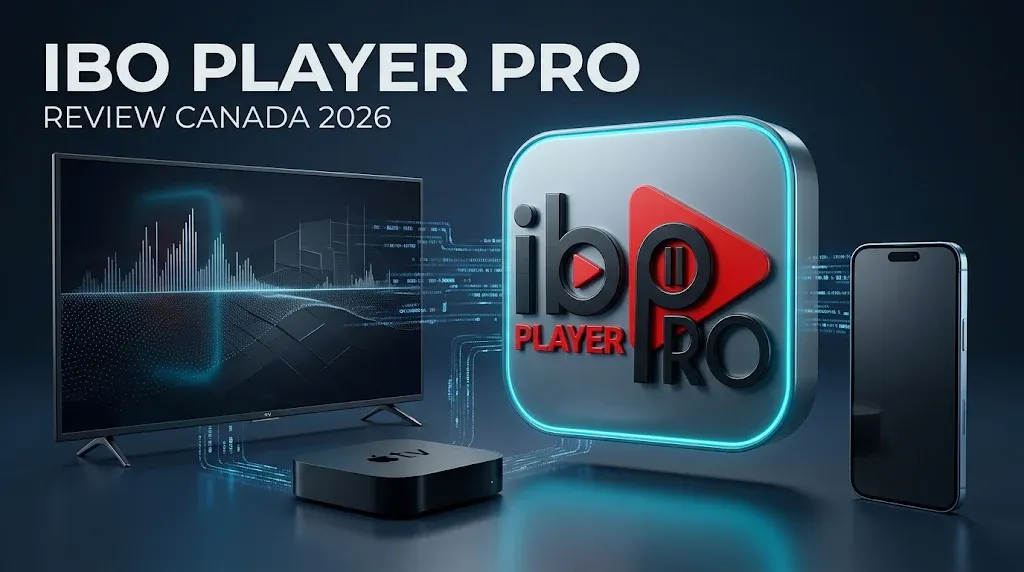
Quick answer: Ibo Player Pro is a playlist player with no channels of its own. You supply an M3U playlist from your own provider, then pay for an activation on each device you use. Its App Store listing covers iPhone, iPad and Apple TV, and the developer also lists Android, Samsung, LG, Roku, Windows and ZEASN/Whale OS TVs. Before installing, check that the publisher is IRBOETECH, because several unrelated apps use almost the same name.
What Is Ibo Player Pro?
Ibo Player Pro is an IPTV player: software that reads a playlist and turns it into a browsable list of live channels, movies and series. The developer describes it on the App Store as an m3u stream player and states that it is only a media player, with the playlist coming from your own provider.
A Player With No Channels of Its Own
Installing the app gives you an empty shell. Nothing plays until you add a playlist, and the app’s channel list is whatever that playlist contains. The developer’s website says it does not sell or offer any content, and advises users to use their own legal lists.
If you search for an “Ibo Player Pro channels list”, there is no such thing to find: the channel list belongs to your provider, not to the app.
Paying for the Player Is Not Paying for TV
Two separate payments can be involved, and they are easy to confuse:
- The activation unlocks the player on a device. It goes to the app’s developer, or to a reseller of the app.
- A content subscription is what gives you something to watch. It comes from a provider and has nothing to do with the app’s developer.
Activating Ibo Player Pro does not give you any channels, and paying a provider does not activate the app. If the difference between a player and a provider is new to you, our best IPTV app for Canada comparison explains it in full.
Ibo Player Pro vs Lookalike Apps
This is the most important section of this review. Several apps from different developers use names close to “Ibo Player Pro”, and they do not share accounts, websites, activation systems or trial terms.
Information about one does not apply to another. Even search engine summaries mix them up, which is how details such as trial lengths end up attached to the wrong app.
Two Different Apps Called “Ibo Player Pro”
The app reviewed here is published on the App Store by IRBOETECH CO. LTD, and its listing names iboproapp.com as the developer website.
A separate App Store listing, also called Ibo Player Pro, directs users to a different website, iboiptv.com, and describes its own 7-day trial. That trial belongs to that app, not to the IRBOETECH app.
IBO Player Is a Different Developer
IBO Player, published at iboplayer.com, is a separate product from another developer, which also offers a version it calls IBO Player Pro. When an article mentions “IBO Player” without naming the developer, it may be describing either app, so check which one before relying on any detail.
Lookalikes Inside the Official Stores
Being in an official store does not make an app the one you want. On the App Store, IBO PRO is an Apple TV-only app from a different seller. On Google Play, an app called IBO Player Pro Movies Live TV is published by ABG TECH LLC; its listing shows that it contains ads and states that its data is not encrypted.
How to Check You Have the Right App
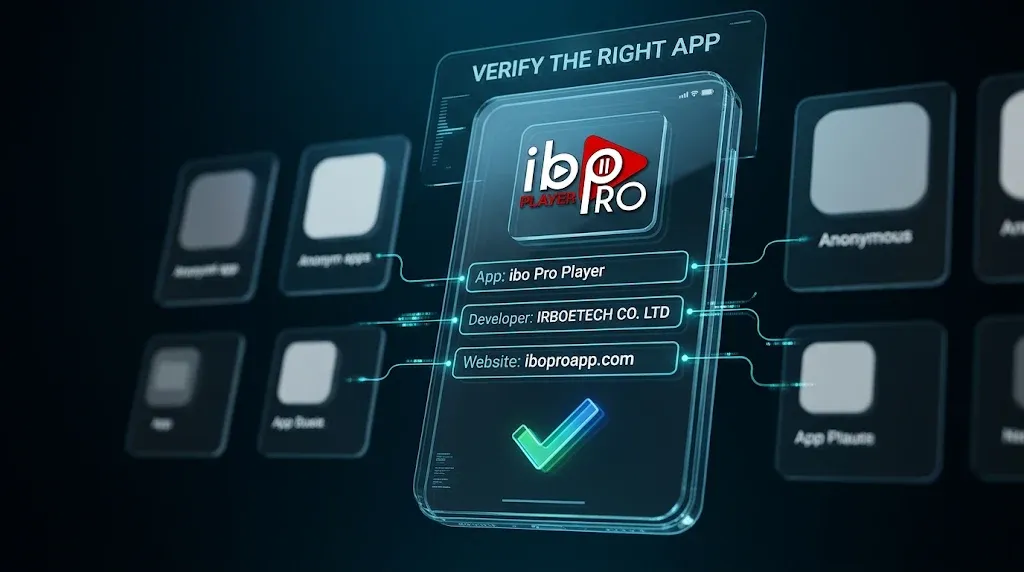
Use the store listing, not the app name, as your guide:
- Start from the store links on the developer’s official site, iboproapp.com, rather than from a search result.
- On the store page, check the publisher. For this app, it is IRBOETECH.
- Check that the listing’s developer website points back to iboproapp.com.
- Activate only through the website or in-app purchase that belongs to that same developer.
| Identity check | What to look for | Status |
|---|---|---|
| Website | iboproapp.com, named as the developer website in the App Store listing | Verified |
| iPhone, iPad, Apple TV | App Store listing “ibo Pro Player”, publisher IRBOETECH CO. LTD | Verified |
| Android | Google Play listing linked from iboproapp.com | Not independently confirmed |
| Windows | Microsoft Store listing linked from iboproapp.com | Not independently confirmed |
| Activation | In-app purchase or the developer’s website | Verified |
| Lookalike apps | Different publisher, different website or different package | Several confirmed |
Supported Devices and Platforms
The developer’s website links to store pages for Android, Apple, Samsung, LG, Roku and Windows, and says the app is also available on ZEASN/Whale OS TVs.
Only the Apple listing could be independently confirmed for this review, so the table below separates what is confirmed from what is only listed.
iPhone, iPad and Apple TV
The App Store listing confirms iPhone, iPad and Apple TV support, with iOS, iPadOS or tvOS 15 or later required, and the listing is available in the Canadian App Store. For the wider picture of what Apple TV can and cannot install, see our guide to IPTV on Apple TV.
Mac With Apple Silicon
The app can run on a Mac with an Apple M1 chip or later, but only as an iPad app. The App Store labels it as designed for iPad and not verified for macOS, so Mac use is possible but not something Apple has checked. The developer’s website does not list macOS among its platforms.
Android, Samsung, LG, Roku and Windows
The developer lists Android among the supported platforms, but we could not independently confirm the matching Google Play listing or its availability in Canada.
The same applies to Samsung, LG, Roku and Windows: the developer links to store pages, but their availability in Canadian storefronts was not confirmed for this review.
Before installing, check the publisher and follow the store links provided by the developer.
If you are setting up a smart TV, our Samsung TV IPTV setup and LG TV IPTV setup guides cover how those platforms handle IPTV players in general.
Fire TV
For Fire TV, the developer’s website offers a direct download and does not link to an Amazon Appstore listing. This review does not cover that installation route.
Whether any outside download is possible at all also depends on which Fire TV you own: Amazon has begun moving its newer sticks to Vega OS, which is not Android-based and does not run Android apps, while older models on Fire OS remain Android-based.
Our Firestick IPTV setup guide shows how to tell which system your device runs, and Is Amazon blocking IPTV on Firestick? explains the two separate changes people often confuse.
| Platform | Source | Status in Canada |
|---|---|---|
| iPhone and iPad | App Store listing | Confirmed |
| Apple TV | App Store listing | Confirmed |
| Mac (Apple silicon) | App Store listing, as an iPad app | Runs, not verified for macOS by Apple |
| Apple Vision | App Store listing | Listed |
| Android phones, tablets and TVs | Developer website | Not independently confirmed |
| Samsung (Tizen) | Developer website | Not independently confirmed |
| LG (webOS) | Developer website | Not independently confirmed |
| Roku | Developer website | Not independently confirmed |
| Windows | Developer website | Not independently confirmed |
| ZEASN/Whale OS TVs | Developer website | Not independently confirmed |
| Fire TV (Fire OS) | Direct download from developer | No Amazon Appstore link from developer |
| Fire TV (Vega OS) | Not applicable | Does not run Android apps |
Features and Limitations
Everything in this section comes from the developer’s App Store listing and release notes. Features the developer does not document are not claimed here.
What the Developer Documents
- Playlists: loads m3u URLs and playlists, and supports all screen resolutions, including 4K.
- Movies and series: shows release dates, cast, trailers and ratings, and lets you choose language, subtitles and audio track.
- Favourites: channels, movies and series can be added to favourites.
- Playback engines: supports VLC player and a “Fast Streaming” mode; the website also mentions MX player on Android.
- Parental control: included, with an option to turn it on or off.
- Recent additions: playback speed for movies and series, subtitle settings, and the current playlist’s expiry date shown on the home screen, according to the listing’s version history.
What Is Not Documented
The official description covers m3u playlists. It does not state support for Xtream Codes logins or describe a program guide (EPG) feature, so this review does not claim either. If you rely on Xtream Codes credentials or a program guide, check with the developer before paying for activation. Our IPTV glossary explains both terms.
Activation, Trial and Payment
The app is free to download and is unlocked through a paid activation. How that works matters more than the price, which varies by country and storefront.
Website or In-App Purchase
According to the App Store listing, you can activate through the developer’s website or by in-app purchase, which the listing names simply “Activation”.
Prices are not quoted here because they differ between storefronts and change over time; the figure shown in your own store at the moment of purchase is the one that applies.
The MAC Address and Device Key
The app displays a MAC address and a device key; the developer’s release notes refer to both fields, including a fix for cases where they appeared empty. These values identify your device, so keep a note of the ones on your own screen when you activate or manage playlists through the website.
One Activation per Device
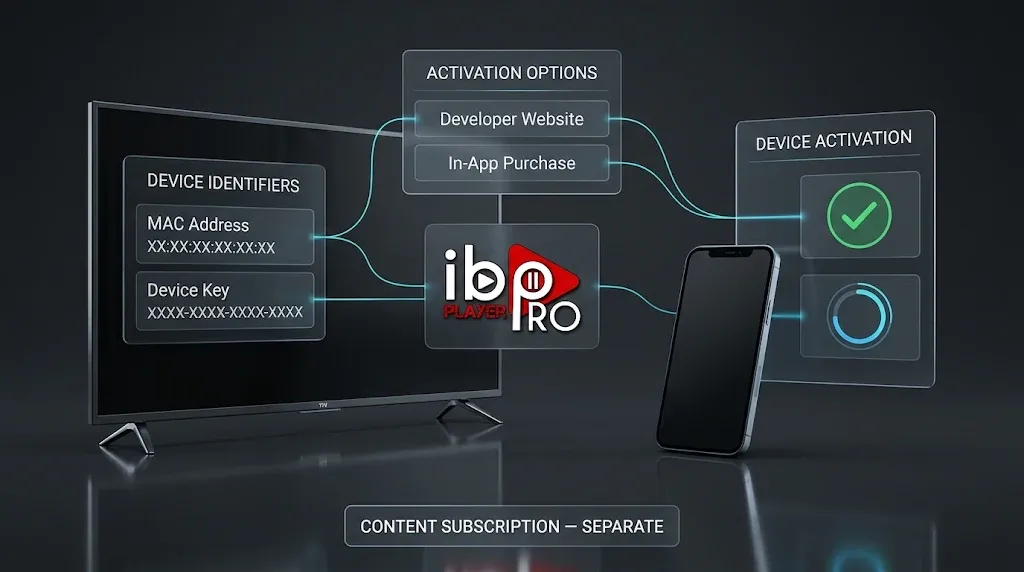
Activation is tied to a device, not to every screen you own. Replying to a user on the App Store, the developer confirmed that users pay for each device. Do not assume that activating the app on one device covers another. If you plan to use it on a TV, a phone and a tablet, budget for three activations.
Free Trial
The official listing for this app does not state a trial length. Trial periods quoted online often come from the lookalike apps described above, so treat any figure that does not come from IRBOETECH’s own listing or website with caution.
Buying Through a Reseller
Activation is also sold through resellers, and the developer’s website includes a “Become Reseller” section. If you buy from a reseller, confirm that the activation is for this app from this developer, and that the reseller is part of the developer’s own program. A reseller sells access to the player only; it does not change the fact that the app contains no content.
How to Add a Playlist
Adding a playlist connects the player to the content your provider supplies. The developer’s listing describes the process in three parts: get an m3u URL or playlist from your provider, upload it on the developer’s website, and activate the app.
Through the Website
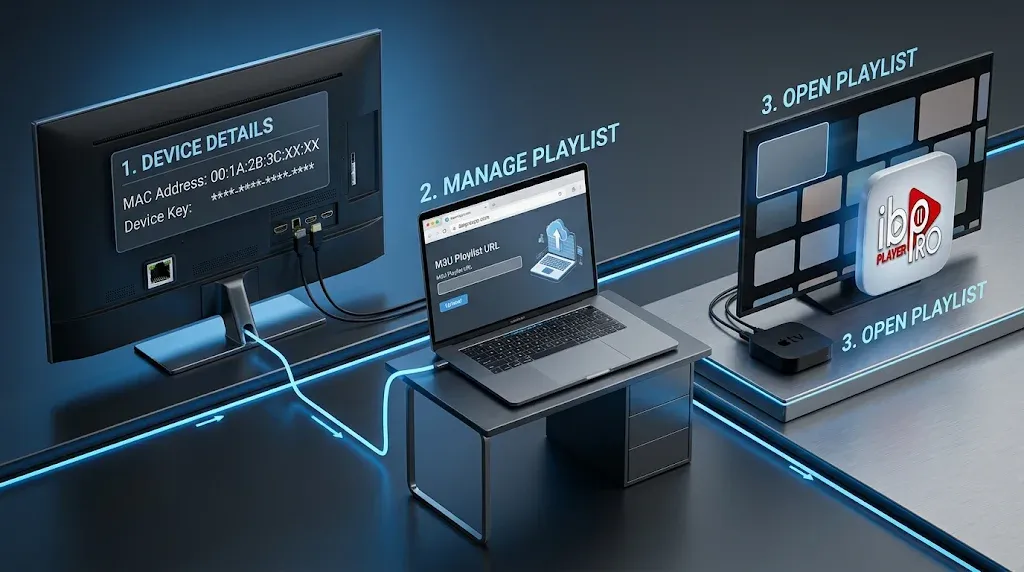
The developer’s site has a Manage Playlists section, and its homepage says playlists can be managed in the app or on the website.
The website route is usually easier for TVs, where typing a long URL with a remote is slow. Have the device identifiers from the app ready before you start, and enter the playlist URL exactly as your provider gave it.
On Apple TV
On Apple TV, adding a playlist inside the app is not available. In a reply to a user on the App Store, the developer explained that this option is disabled on tvOS because typing a URL there is difficult. Apple TV users should add their playlist through the website.
For an overview of what credentials look like and what to have ready, see our IPTV setup guide for Canada.
Common Problems and Safety Checks
Install Only From the Developer’s Store Links
The safest route is the one described in the identity check above: start at iboproapp.com, follow its store links, and confirm the publisher. The lookalike apps are the main risk, because paying for the wrong one means an activation that will not carry over to the app you meant to install.
What the Privacy Label Says
On the App Store, the developer declares that the app does not collect any data. Apple notes that this declaration has not been verified by Apple, so read it as the developer’s own statement rather than an independent assessment. The developer’s privacy policy is published on iboproapp.com.
When a Playlist Will Not Load
Most loading problems come from the playlist or the provider rather than the player: an expired subscription, a mistyped URL or a provider-side outage.
The playlist expiry date on the app’s home screen is a useful first check. For a structured diagnosis, see IPTV not working in Canada, and for guide problems, IPTV EPG not working.
Ibo Player Pro vs Other IPTV Players
The main differences between Ibo Player Pro and the players we have reviewed are platform coverage and how you pay:
- TiviMate runs only on Android-based TV platforms. Ibo Player Pro’s confirmed listing covers Apple devices, where TiviMate has no version.
- IPTV Smarters Pro also spans many platforms, and our review explains which app you actually get under that name.
- XCIPTV is an Android-focused player that may be running inside a provider’s own branded app.
A common search compares Ibo Player Pro with VLC. They are not really competitors: VLC is a general media player, and Ibo Player Pro lists VLC support as one of its playback options. For the full field, see our best IPTV app for Canada comparison.
Is Ibo Player Pro Legal in Canada?
Ibo Player Pro is a media player, and a player is neutral software. What determines whether viewing is lawful is not the app, its name or how it is built, but the content you load into it and whether that content is distributed with the rights holder’s authorization. The developer itself states that it provides no content and advises users to use their own legal lists.
Legal note: this review covers a player application only. IPTV Concepts does not sell, recommend or endorse any IPTV subscription service. For what Canadian law says about IPTV, including current site-blocking orders, see Is IPTV legal in Canada? and our disclaimer.
Our Verdict
Based on what the developer documents, Ibo Player Pro is a straightforward playlist player with a sensible feature set: 4K support, favourites, VLC playback, subtitle and audio-track choice, and parental controls.
Its confirmed Apple listing makes it one of the options for iPhone, iPad and Apple TV, where some well-known players are not available.
Its weak points are practical rather than technical. Activation is paid per device, which adds up across a household. Xtream Codes and program guide support are not documented. Several advertised platforms could not be confirmed in Canadian stores. And the name is shared with enough unrelated apps that buying the wrong one is a real risk.
Because this review is based on documentation rather than testing, it cannot rank Ibo Player Pro’s speed or stability against other players. The decision that matters most is the identity check: if you choose Ibo Player Pro, make sure the app you install and the activation you buy both come from IRBOETECH, through the links on iboproapp.com.