
You install a player app, open it for the first time, and it asks for three things you have never heard described anywhere: a server URL, a username, and a password. Your provider’s welcome email lists all three under a heading you half-recognize. So what are Xtream Codes, and why does the app want them in separate boxes instead of in one link? The answer is simpler than the forums suggest, and it clears up a confusion that sits underneath most IPTV troubleshooting threads. If the technology itself is new to you, start with what IPTV is and come back.
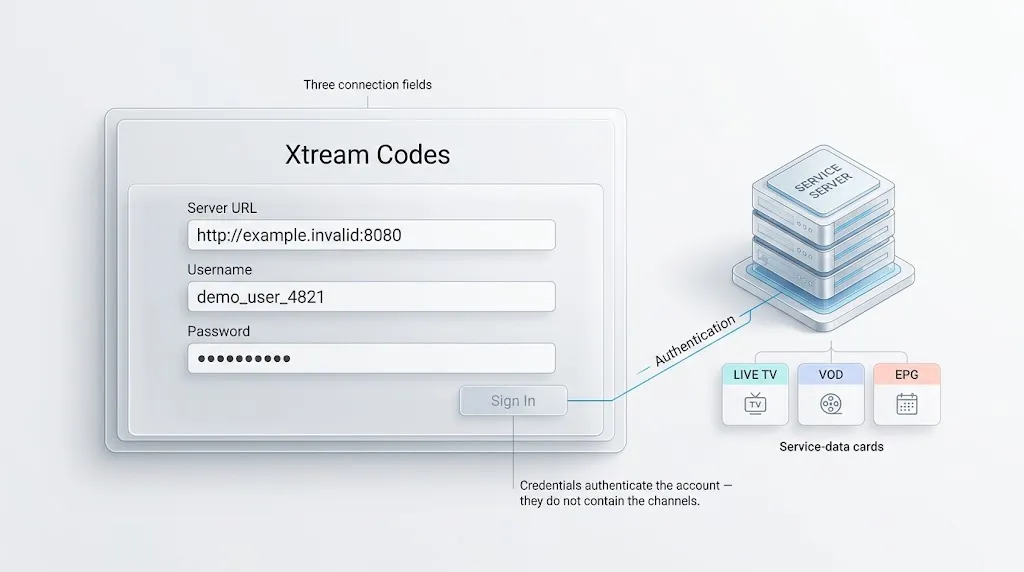
Quick answer: Xtream Codes is not a code. The term describes three values your IPTV service issues you—a server URL, a username, and a password—plus the API interface your player uses them with. Entering them lets the app authenticate and then request channel, on-demand, and program guide data from the server rather than downloading a static playlist file.
So What Are Xtream Codes?
In IPTV apps, “Xtream Codes” commonly refers to the three connection details a service gives you—a server address, a username, and a password—while the Xtream Codes API is the interface the player uses with those details. The phrase is a widely adopted usage rather than a formally defined term, and the two senses are worth keeping apart, because almost every explanation online runs them together.
You are given the details. Your app uses the interface. Neither is software you install, and neither is a channel package.
Terms used throughout this article are defined plainly in our IPTV glossary.
Not a Single Code
“Xtream Code” gets used informally as though it named one code, in the way a gift card carries one. It does not. ‘Xtream Codes’ normally refers to the server address, username, and password supplied by an IPTV service—three separate values, issued together and meaningless apart.
That distinction matters more than it sounds, and the rest of this article keeps returning to it.
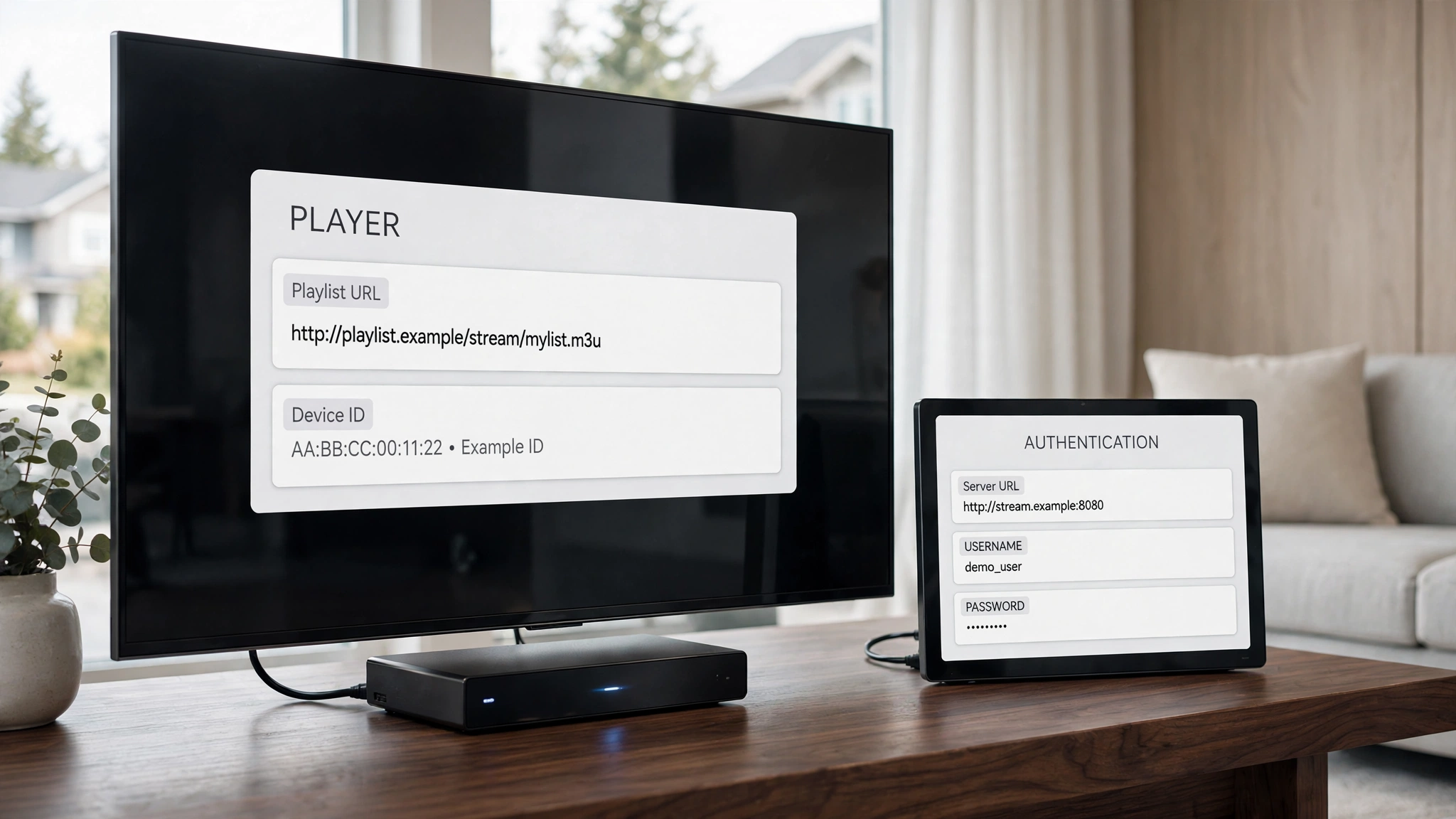
The Three Fields Your Player Asks For
Each field does a different job, and getting one subtly wrong produces the same unhelpful error as getting all three wrong.
Server URL and the Port
The server URL is the address your player contacts. It may use HTTP or HTTPS and can include a port number, such as :8080. The port is part of the connection address when the service specifies one.
Some apps label this field “host,” “portal,” or “DNS.” The label varies; what it holds does not.
Username and Password
Both are usually short strings of letters and numbers rather than anything you chose, and both are case-sensitive. They identify your account to the server and authorize the request. Because these values are often supplied as account credentials rather than chosen by the viewer, a single mistyped character can be enough to cause an authentication failure.
What the Server Returns Is Not the Same as What the Credentials Are
This is the part that unlocks the rest.
The three values do not contain any channels. They carry no program schedule, no film library, and no video. They are an identity, nothing more.
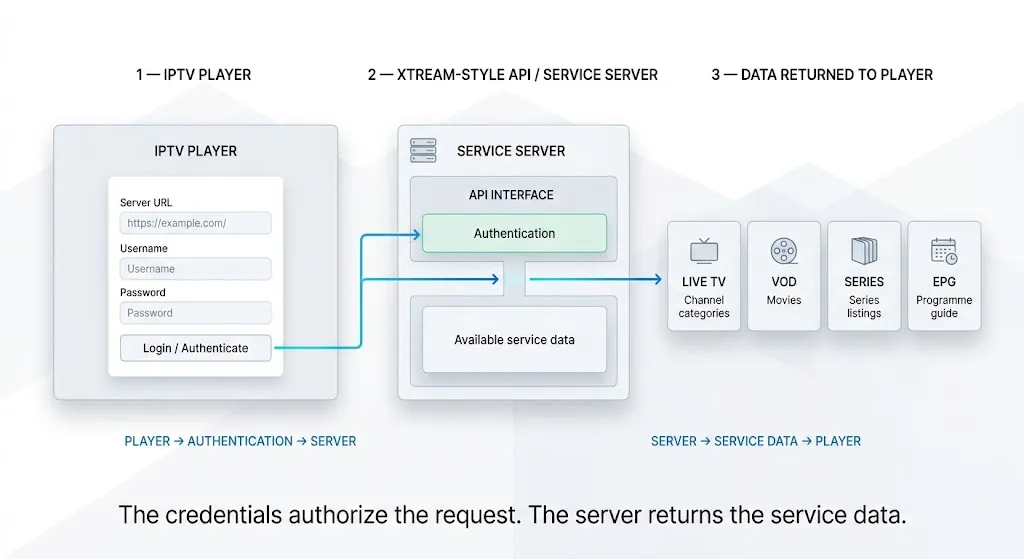
What happens is sequential: the app presents the credentials, the server accepts them, and only then does the app begin requesting service data—channel categories, live channels, on-demand titles, series listings, and program guide data—according to what that server exposes and what the subscription includes. Two people with valid credentials on different services can see entirely different things because the credentials authorize the request rather than determine the answer.
Hold on to that sequence. It is why the next section matters.
Three Layers People Confuse
Most arguments about IPTV formats compare things that sit at different levels, which is why they never resolve. There are three distinct layers, and Xtream Codes occupies exactly one of them.
Layer One — How You Get Access
This is where Xtream Codes sits. Credentials and the interface that accepts them. This layer answers one question: Is this request authorized, and for which account?
Layer Two — How the Channel List Is Represented
An M3U playlist is a format for representing a list—channel names, associated metadata, and the addresses where each stream can be found. It is a text file, and it describes rather than delivers.
An M3U file is a directory, not a video, and the same principle appears in our breakdown of how IPTV actually works one level up. Xtream Codes and M3U both operate around this layer, which is why they get compared — but the comparison is narrower than it appears.
Layer Three — How the Stream Is Delivered
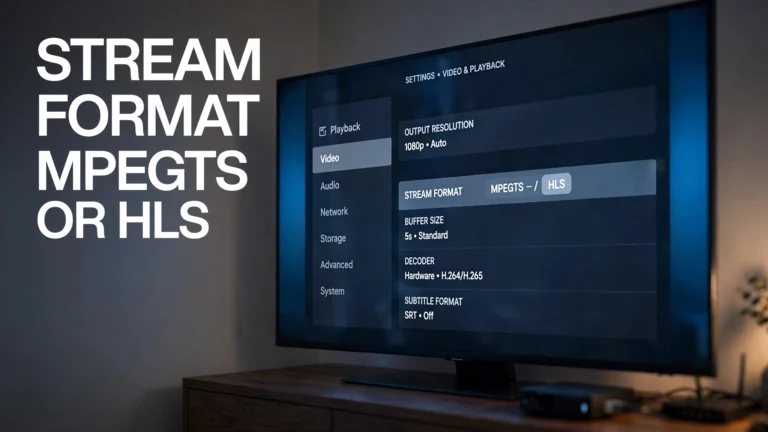
Once your player knows where a stream lives and is authorized to request it, the actual delivery happens through formats and protocols such as MPEG-TS and HLS. These are not two versions of the same thing, and the relationship between them is more involved than most sources allow — our article on what the stream format setting actually changes works through it properly rather than repeating the summary here.
The point for now is only this: this layer is downstream of everything above it. Nothing about your credentials determines it.
Standard or Convention?
There is one further distinction worth making, and it explains a great deal about why guidance on this topic is so inconsistent.
Unlike HLS, Xtream Codes is not defined by a publicly published Internet standard such as an RFC. The term is commonly used for a provider-issued set of credentials and the API interface that accepts them, so implementation details can vary between services and players.
HLS, by contrast, has a published specification—RFC 8216 sets out its playlist structure and segment model, and Apple’s HTTP Live Streaming documentation covers the same ground from the implementer’s side. You can look up what HLS is supposed to do and check behaviour against it.
There is no equivalent document to consult for Xtream Codes. It is better understood as a convention used by IPTV services and player applications than as a formally standardized Internet protocol. That is not a criticism — conventions work — but it is the reason two services can both offer “Xtream Codes” and behave differently, and the reason so much of what is written about it comes from parties with something to sell.
| Layer | What it is | What it decides | What it does not decide |
|---|---|---|---|
| Access | Xtream Codes credentials and interface | Whether the request is authorized and for which account | What content exists, or how it arrives |
| Representation | M3U playlist format | How a channel list is written down and read | Whether you are allowed to request it |
| Delivery | MPEG-TS, HLS, and related formats | How stream data reaches the player | Which channels your subscription includes |
Xtream Codes vs. M3U: What Actually Changes
With the layers separated, this comparison becomes manageable — and much smaller than the internet makes it.
What Changes and What Does Not
What changes is how your app obtains service information. With a playlist link, the app fetches a file and reads it. With credentials, the app authenticates and then queries the server for categories, on-demand listings, and guide data as structured responses, which is why those sections tend to appear already organized rather than as one flat list.
What does not inherently change is the account or service behind the credentials. But the information exposed through an API and the information included in a particular playlist can differ, depending on how the service has implemented each option.
Neither method inherently improves picture quality or adds rights to content; those depend on the service and the stream being provided.
How the Credentials Appear in Each
Here is a difference worth knowing, stated carefully.
An M3U URL can carry the username and password as visible parameters within the address itself. Xtream Codes places the same values in separate fields. That is a difference in how the credentials appear, not a ranking of one method as more secure than the other.
The practical consequence is narrow but real: a playlist link that contains those parameters carries your account details inside it. Sharing the link, posting it in a support thread, or including it in an unblurred screenshot shares more than a channel list. Treat such a link the way you would treat the password inside it.
Which Apps Offer Xtream Codes Fields
Compatibility here is a question about the individual application, not about the operating system it runs on. This is the single most common mistake in device guidance on this topic, and it produces genuinely wrong advice.
Android and Fire OS Players
Dedicated players built for Android TV, Google TV, and Fire OS commonly present the three fields directly, usually as a choice between adding a playlist and logging in with credentials. Several of the apps Canadian viewers use most are in this group—our comparison of the best IPTV apps for Canadian viewers covers what each exposes.
Samsung and LG — An App-Level Question
On Samsung’s Tizen and LG’s webOS, both patterns exist side by side, and which one you meet depends entirely on the app you installed.
Some smart TV players are built around a playlist uploaded to the developer’s own web portal and matched to the television’s MAC address, with nothing typed on the TV at all. Others accept credentials directly in the app. Two apps in the same store on the same television can work in these two different ways.
So the useful question is never "does Tizen support Xtream Codes" — that question has no answer. It is "does this app offer the three fields." Which apps are available also varies by region and model year, a point covered in our guides to Samsung TV IPTV setup and LG TV IPTV setup.
Where the Fields Are Not Offered
Some players simply have no login form of this kind. A general-purpose media player may accept playlist URLs and files only, with no screen anywhere for a server address, username, and password. Finding no such fields is not a fault or a missing setting—it means the application was not built to accept them, and a playlist link is what it expects instead.
Why a Login Is Rejected — Conceptually
Rejected logins fall into a small number of categories, and recognizing which one you are looking at is more useful than working through a list of fixes.
The values may not match what the server holds—a mistyped character, a wrong case, or an address missing its port. The account may no longer be active, in which case the credentials are correct but no longer authorized.
The subscription may already be in use up to its simultaneous connection limit, so the credentials are valid and the request is still declined. Or the address may be reaching something other than the service—a different port, a different protocol prefix, or a portal that expects a different connection type entirely.
These are categories, not steps. Each has a different remedy, and the practical checks belong in a setup guide rather than here.
What “Free Xtream Codes” Actually Means
Searches for free codes are common enough that the phrase deserves a direct answer, because the premise contains a mistake.
Since the term describes values a service issues against an account, there is no general pool of codes circulating to be handed out. What people are actually referring to falls into three quite different things.
Trial credentials issued by a provider. Some services offer a short trial and generate real credentials for it. These are legitimate, they come from the service itself, and they expire as advertised.
Credentials belonging to somebody else’s account. Shared or leaked details from a paid subscription. These stop working when the account hits its connection limit or the details are regenerated, and using them is using someone else’s service.
Lists published on unrelated websites. Collections of details posted publicly, typically expired, are often recycled from the second category.
Only the first is a service issuing access to you. The other two are somebody else’s access, and this site does not publish credentials of any kind.
On the wider question, the format is neutral technology—it describes how an app authenticates and carries no rights to anything. Whether a given service is lawful depends on that service’s licensing, which we cover in whether IPTV is legal in Canada. See also our disclaimer.
Where These Details Actually Go
Knowing what the fields are is separate from knowing where to put them, which varies by app and device. Our IPTV setup guide for Canada walks through the entry process on the devices Canadian viewers use most, including the address-format detail that causes the majority of first-attempt failures.
Conclusion
The short answer to what are Xtream Codes is that they are three values a service issues you, used with an interface your player already knows how to speak. Key points to carry forward:
- The term covers credentials you are given and the API interface they are used with—not software, and not a channel package
- “Xtream Code” in the singular is a misnomer; there are three values, issued together
- The credentials contain no content—they authorise a request, after which the app asks the server for what your subscription includes
- Access, representation and delivery are three separate layers, and comparisons that cross between them cannot be settled
- Unlike HLS, there is no published standard document for Xtream Codes, which is why behaviour varies between services and players
- What an API exposes and what a given playlist contains can differ by service—neither method adds channels, quality, or rights on its own
- Whether the three fields appear is a question about the app, never about the operating system
- An M3U link can carry your account details inside the address—a difference in how credentials appear, not a security ranking
If something here is wrong or has changed, tell us through the contact page—corrections are welcome, and we read every message. For the wider picture, return to what IPTV is.
Sources
- RFC 8216 — HTTP Live Streaming — IETF. Playlist structure, media segments, and variant streams are cited here for the published-standard comparison. Accessed 25 August 2026.
- HTTP Live Streaming — Apple Developer. Protocol overview and media packaging options. Accessed 25 August 2026.