
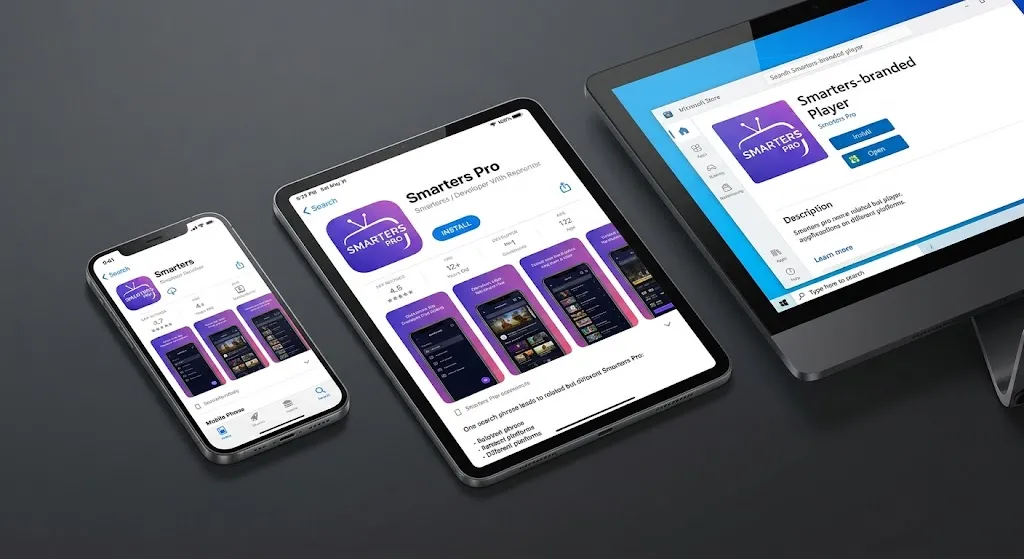
Here is what most guides to IPTV Smarters Pro do not tell you: the name you are searching for is not the name on the app listing. Open Google Play and search the developer’s catalogue, and the application published by Tech Smarters Private Limited appears as Smarters Pro – Mobile. On Apple’s App Store the same family of software carries a different name again. On Windows, another one, which is worth knowing before you compare players in our guide to the best IPTV app in Canada.
That mismatch is the single most useful thing to understand before you install anything. “IPTV Smarters Pro” has become a category label rather than a product name — used loosely across several applications, several publishers, and several platforms that do not all behave the same way. This article sorts out which one you are likely to end up with, what it does, what it cannot do, and why it may not install on the Canadian streaming device sitting under your television.
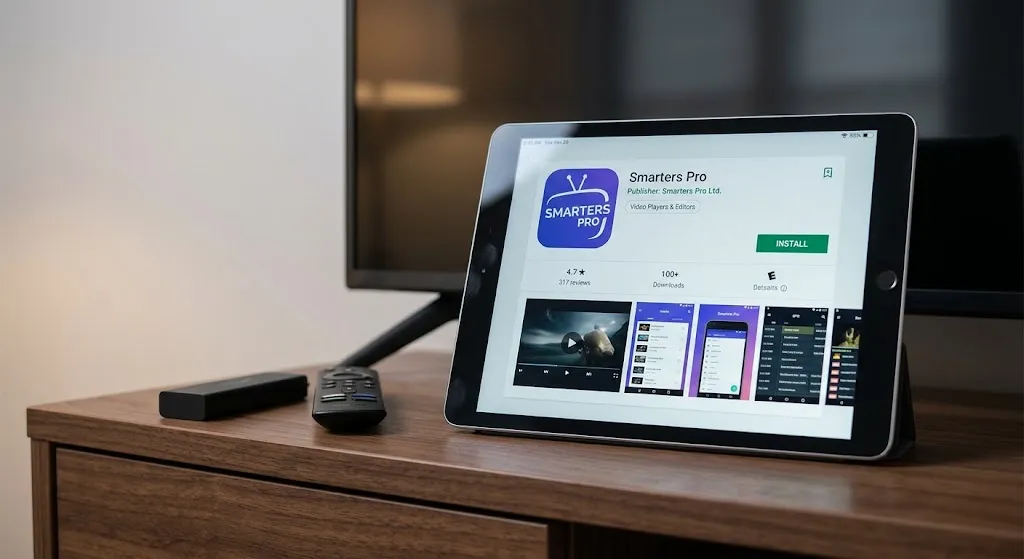
Quick answer: IPTV Smarters Pro is a media player, not a television service. It supplies no channels, no content, and no subscription — you provide those separately. The name is shared across several applications and platform versions with different publishers and different listing names, so what you install depends on which store you use. It will not install on Amazon’s newer Vega OS devices, and whether it costs anything depends entirely on the platform.
Which App Are You Actually Looking For?
What the Developer Publishes Today
The Android application from Tech Smarters Private Limited is listed on Google Play as Smarters Pro – Mobile, categorised under video players, with over a million downloads and a listing last updated in November 2025. The developer is based in Mohali, Punjab.
The same publisher lists more than one player. A separate Smarters Pro entry exists under a different package identifier, and a third application called SmartersX sits alongside both. These are distinct applications with distinct listings, distinct version histories, and distinct user ratings — not a single product with a single name.
Why the Name Differs Across Platforms
The pattern repeats everywhere, and the publisher changes with it. On iOS, a similarly named player appears as Smarters Player Lite, published by WHMCS SMARTERS — a different company from the one publishing the Android application discussed above. That developer’s App Store page lists its own family of Smarters-branded apps, including one called SmartersX, a name that also appears in the other publisher’s Google Play catalogue. The Windows release appears on the Microsoft Store as Smarters IPTV Pro.
Search for “IPTV Smarters Pro” across these platforms, and you may find something with a different name, a different publisher, or a different feature set. Similar names do not establish a shared publisher.
This matters for a practical reason. Instructions written for one platform’s version routinely describe menus, options, and behaviours that do not exist in another version. A guide that confidently tells you where to find a setting may be describing a different application entirely. Terms used along the way are collected in our IPTV glossary.
IPTV Smarters vs IPTV Smarters Pro
This is the most repeated question on the topic, and the honest answer is that the distinction is not stable enough to give a clean rule.
Historically, “IPTV Smarters” and “IPTV Smarters Pro” referred to different releases from the same lineage, with Pro positioned as the fuller version. In practice the names have drifted: store listings have been renamed, versions have been consolidated and split again, and third-party sites reproduce naming from years ago as though it were current.
What is reliable is the method rather than the answer. Check the publisher name on the listing, check the last-updated date, and check that the platform matches your device. Those three fields tell you more than any comparison of names.
What IPTV Smarters Pro Actually Does
It Is a Player, Not a Service
The Google Play listing states this plainly. The application is described as a standalone media player that does not provide, host, sell, or promote any media content, television channels, or streaming services, and users are required to add and manage their own legally acquired media.
That sentence resolves a great deal of confusion. The app is an empty frame. It has no channels of its own, no catalogue, and nothing to watch until you supply credentials from somewhere else. Every “IPTV Smarters Pro subscription” offered online is a subscription to a separate service that happens to work with the player — the two are not the same purchase, and the app’s developer is not the party selling it.
Playlist and Login Methods — M3U, JSON and Player API
The current store listing emphasises M3U and JSON playlists, while the app also offers Player API access for compatible IPTV credentials.
Naming here is a common source of confusion. In IPTV documentation, the Player API is often used for credentials associated with Xtream-compatible services, while other sources say “Xtream Codes” or simply “login with username and password”. The terminology varies, so the safest approach is to use the login method named by the specific app and service rather than assuming a label from one guide maps onto another.
The practical consequence is that credentials arrive in one of two shapes: either a single long URL or a server address plus a username and password. Which shape you have determines which option you choose in the app. Our IPTV setup guide for Canada covers what those credentials look like and where they come from, and how IPTV actually works explains what happens after the player has them.
What It Cannot Do
The boundaries matter as much as the features:
- It cannot supply channels — that is the service’s role, not the player’s
- It cannot fix a stream the provider is delivering badly
- It cannot make unauthorised content authorised
- It cannot repair rejected credentials or an expired account
- It cannot install itself on a platform that does not run its package format
The last point deserves its own section, because it catches Canadian buyers most often.
Getting the App on Canadian Devices
Official Stores Only
Install from the platform’s own store — Google Play, the Apple App Store, the Amazon Appstore, or the Microsoft Store, depending on the device. Verify the publisher name on the listing before installing, because the popularity of this name has attracted a considerable number of lookalike listings and download sites.
We do not publish sideloading instructions, installer codes, or third-party download links. Using the platform’s official store gives you a clearly identifiable publisher and the platform’s own distribution channel — which matters more than usual here, given how many applications share variations of this name.
Fire TV and the Vega OS Limitation
This is the compatibility trap of 2026, and almost no guide covering this app has caught up with it.
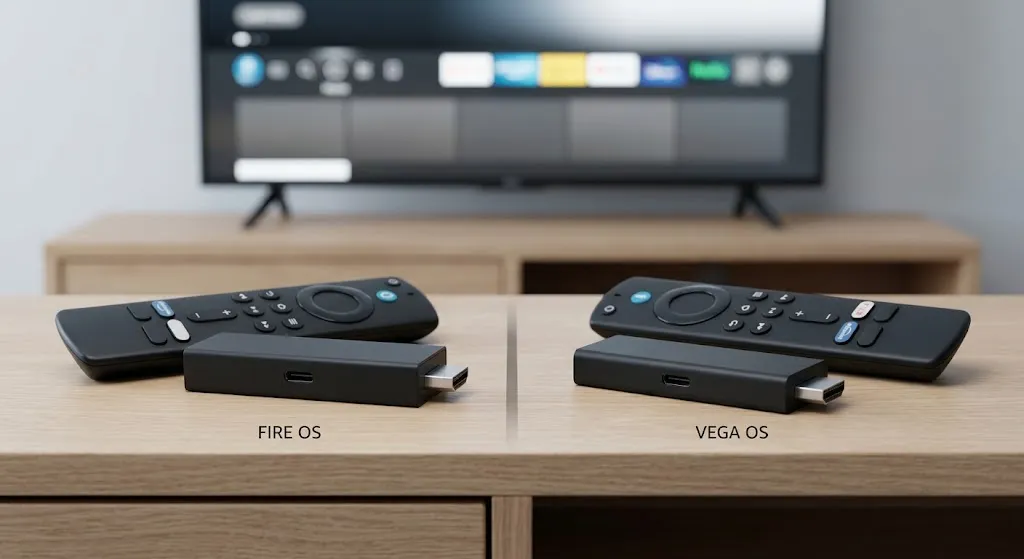
Amazon has begun moving its Fire TV Stick line from Fire OS to Vega OS. In announcing Vega Developer Tools, Amazon described the Fire TV Stick 4K Select as its first stick to run Vega, an operating system built specifically for its devices on a Linux foundation. Fire OS, by contrast, is Android-based. The Fire TV Stick 4K Select and the 2026 Fire TV Stick HD run Vega; the 4K Max, 4K Plus, 4K, Fire TV Cube, and the 2024 Fire TV Stick HD remain on Fire OS.
Vega OS is a separate platform from Fire OS, so Android package installation instructions written for Fire OS do not apply to Vega devices. Every guide that tells Firestick owners to install a downloader utility and fetch an Android package is describing a route that does not exist there.
One further trap: two different devices currently use the Fire TV Stick HD name. The 2024 model runs Fire OS; the 2026 model runs Vega OS. Buying the wrong one is easy. Our best IPTV device guide for Canada works through the hardware, and the Firestick IPTV setup guide covers what does work on Fire OS models.
Smart TVs and Other Platforms
Samsung’s Tizen and LG’s webOS are not Android either, and neither runs Android packages. Availability of any given player on a smart TV varies by region, by model, and by year—so rather than trusting a list of “supported devices” published by a third party, search your own television’s app store and see what comes back. That answer is current; a published compatibility list may be years old.
Is IPTV Smarters Pro Free?
Why the Answer Differs by Platform
There is no single answer, which is why you will find confident, contradictory ones everywhere.
The Android listing is free to install. The Microsoft Store listing describes a one-week trial after which the device requires activation. Other platform versions have historically involved a one-time purchase or an in-app unlock. All of these can be true simultaneously, because they describe different applications on different platforms published under variations of the same name.
Why Price Figures Conflict
We do not publish a figure, and you should be sceptical of anyone who does without saying where it came from.
Amounts differ by platform, by version, by region, and by whether the charge is for the player or for a service being sold alongside it. Figures also age badly — a price quoted in an article from last year may have changed twice since. The reliable method is to open the listing for your specific platform and read the current terms there.
One distinction worth holding onto: any cost attached to the player is separate from any cost attached to a service. A site advertising an “IPTV Smarters Pro subscription” is selling the second thing, not the first.
Is IPTV Smarters Pro Legal?
The player itself is ordinary software — a media player in the same category as any other. Installing it is not the question.
What determines lawfulness is the content you point it at: what that content is, where it comes from, and whether the source holds the rights to distribute it. The same application can be used entirely lawfully with authorised credentials and unlawfully with unauthorised ones. The software does not change that in either direction, and no player can confer rights that the source does not have.
This is why “is this app legal” is rarely the useful question. The useful question is what you are connecting it to. Our guide to whether IPTV is legal in Canada covers the Canadian framework in detail, and this site’s disclaimer sets out the limits of what any of this represents.
When a Different Player Makes Sense
Two situations point elsewhere, and neither is about which app is better.
The first is platform. If your device cannot install this player, the comparison is over before it starts — you need something its store actually carries. The second is preference: players differ in how they handle guide data, recordings, and multi-account setups, and those differences matter more to some viewers than others.
For a like-for-like comparison across the field, see our best IPTV app in Canada guide. For a closer look at one alternative and its own platform limits, the TiviMate review covers where that player runs and where it does not.
Conclusion
IPTV Smarters Pro is less a specific product than a name several products share. Key points to carry forward:
- The name on the listing differs by platform — verify the publisher and the last-updated date before installing
- It is a media player with no channels, no content, and no subscription of its own
- Credentials arrive either as a single playlist URL or as a server address with a username and password; labels for the second method vary
- It will not install on Amazon’s Vega OS devices, and two different sticks share the Fire TV Stick HD name
- Whether it costs anything depends on the platform, and any price attached to a service is a separate matter from the player
- Lawfulness depends on the content and its source, not on the software
Install from your platform’s own store, check the publisher, and treat any guide that skips the platform question with suspicion. If something here needs correcting, our contact page is open.
Sources
- Smarters Pro – Mobile — Google Play. Publisher, listing name, category, update date, and the developer’s statement that the application supplies no content. Accessed 19 August 2026.
- Smarters Player Lite — Apple App Store. iOS listing name and publisher. Accessed 19 August 2026.
- Smarters IPTV Pro — Microsoft Store. Windows listing name and trial-then-activation terms. Accessed 19 August 2026.
- Announcing Vega OS and Vega Developer Tools — Amazon Developer. Vega OS as the platform of the Fire TV Stick 4K Select, built on Linux components. Accessed 19 August 2026.