
Most guides answer this question with a list of nine or fifteen player apps and leave it there. The problem shows up when a reader opens the App Store on their Apple TV and half the list is missing. Nothing is broken and nothing has been blocked. IPTV on Apple TV works through a chain that guides rarely spell out: which Apple TV you own decides which version of tvOS you can run, that version decides which apps the store will offer you, and only then do you find out whether the player you read about is available. If you are still comparing hardware, our guide to IPTV devices in Canada covers the wider field.
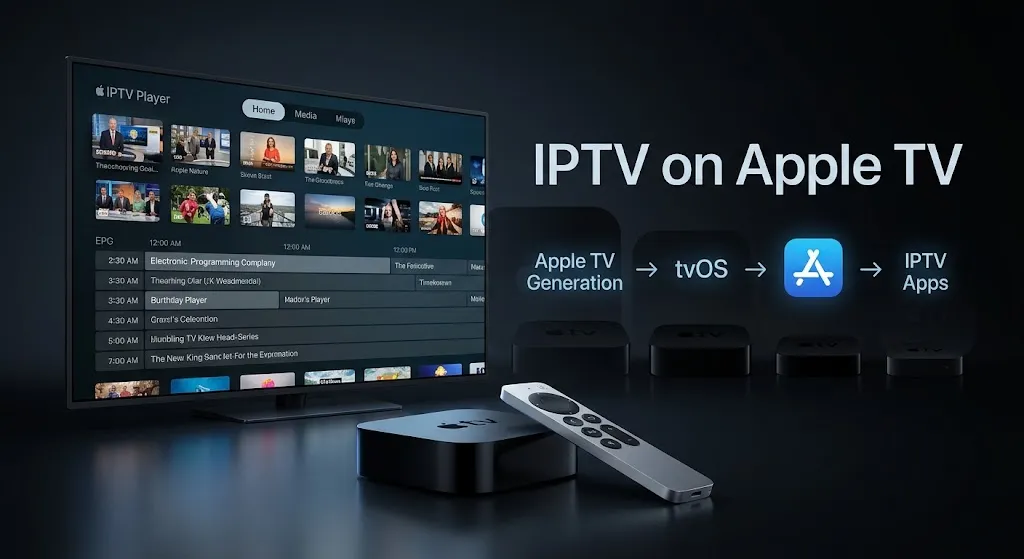
Quick answer: Yes, you can use IPTV on Apple TV. Player apps that accept M3U playlists or Xtream Codes credentials are available on the tvOS App Store. Which ones you can install depends on your Apple TV generation and the tvOS version it supports. Store listings set their own minimums—one major player currently asks for tvOS 17.0, another for tvOS 18.6—so a device that cannot reach a given version may not be offered that app.
Can You Use IPTV on Apple TV? The Short Answer
Yes. This is settled, and the confusion around it is not about permission.
The tvOS App Store carries player applications built for exactly this purpose. Apple’s listing for IPTV Player Live describes importing a playlist from a web URL, a local file, iCloud, or Xtream Codes credentials, with a dedicated tvOS build. iPlayTV describes much the same: multiple playlists, remote or Xtream Codes, and an interface built for Apple TV.
 .
.
These are ordinary App Store applications. Nothing unusual is required to install them. Terms used throughout this article are defined plainly in our IPTV glossary.
What is not settled is which of them you can install. That question has a different answer for different readers, and the rest of this article is about why.
How Apple TV Handles Apps Differently
One Route In, By Design
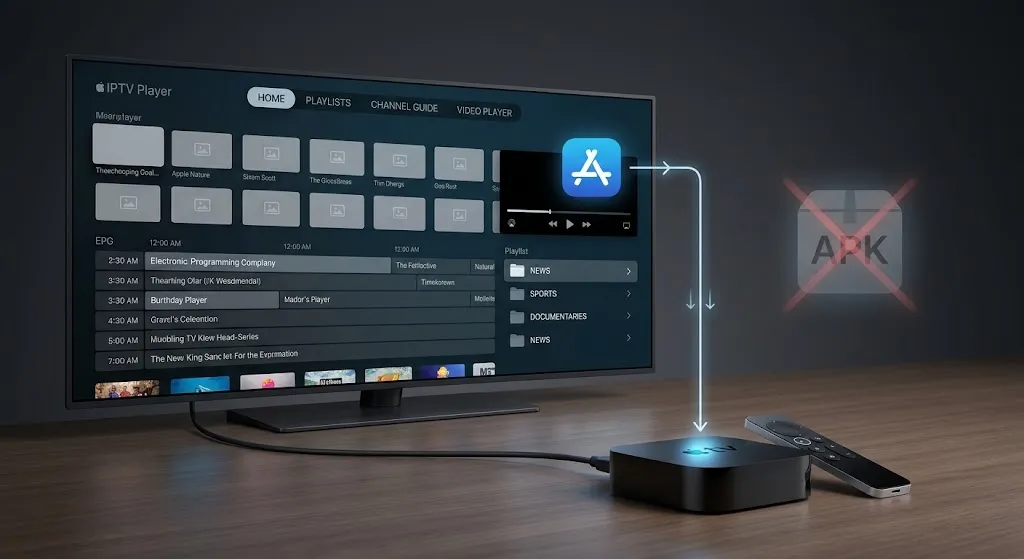
On tvOS, applications arrive through the App Store. Apple TV does not offer the Android-style APK sideloading route used on some other streaming devices.
This matters less than it might sound, because the practical outcome is not scarcity. Multiple maintained IPTV players exist on tvOS, several with long histories and regular updates. The store route is not a narrower door—it is a different one.
Why This Is Not the Same Story as Other Platforms
Readers arriving from Android or Fire OS coverage often expect a story about capability being taken away. That framing does not transfer here.
On those platforms, the question is whether outside installation is available, and the answer has been changing. On Apple TV, that question was never on the table, so nothing about it is changing now. What changes on Apple TV is something else entirely—the operating system version your hardware can reach—and that is a slower, quieter constraint that most coverage skips.
AirPlay Is Not a Native App
One point of genuine confusion deserves separating out.
Several iPhone and iPad players advertise AirPlay, and some readers conclude their Apple TV is therefore covered. AirPlay sends video from the phone to the television. The phone is doing the work; it must stay awake and connected, and the Apple TV is acting as a display.
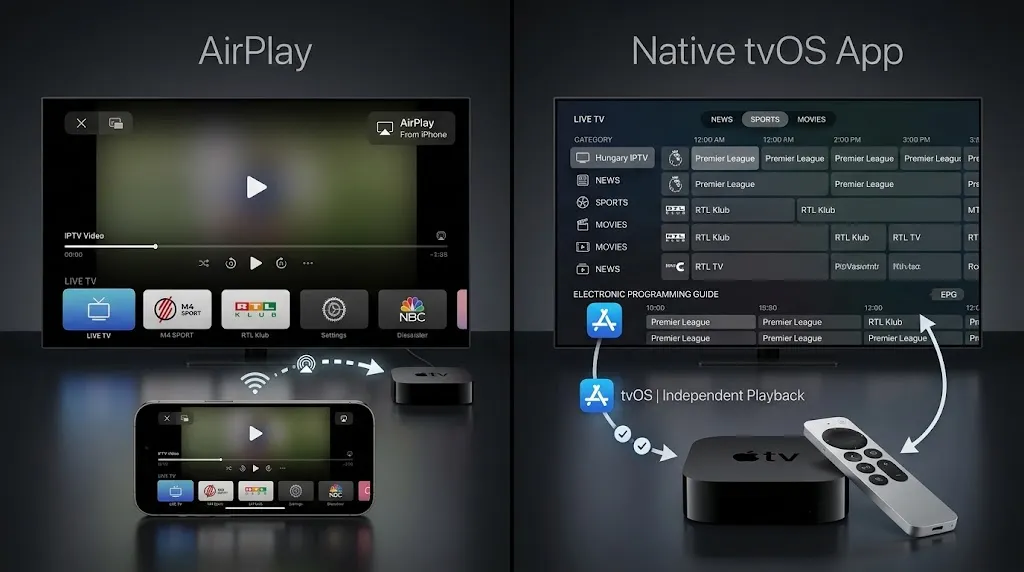
A native tvOS app is different: it runs on the Apple TV itself, is navigated with the Siri Remote, and does not depend on a second device. Both are legitimate ways to watch. Only one is what people mean when they ask about IPTV on Apple TV.
What Actually Limits You — Three Links in a Chain
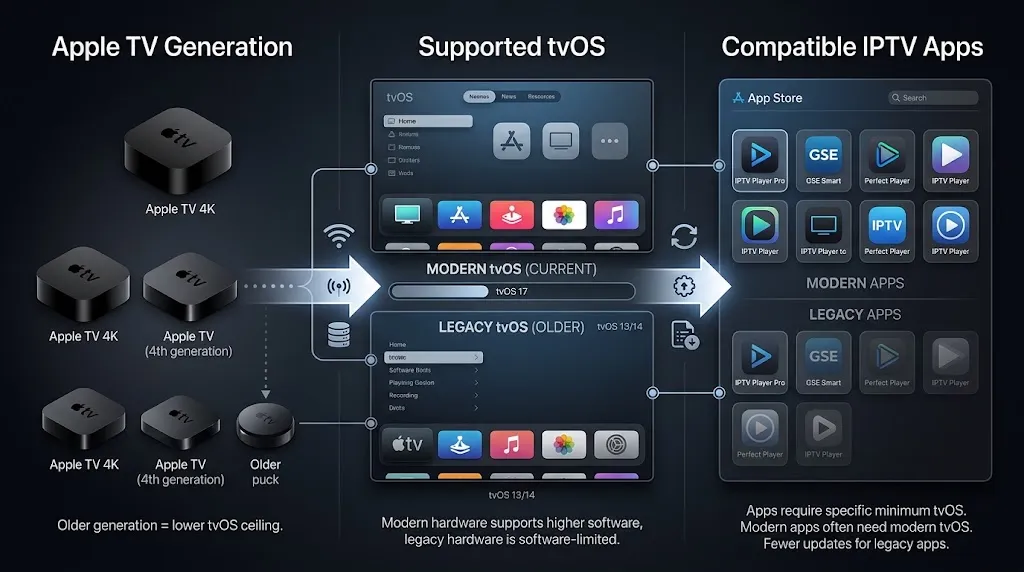
Here is the sequence, and each link constrains the next.
Link One — Which Apple TV You Own
Apple states which hardware is in scope. Its support documentation says the Apple TV models supported by tvOS are Apple TV HD and Apple TV 4K, first generation and later, and that previous models are no longer software-supported.
So the pre-2015 boxes are outside this discussion entirely—no tvOS, no App Store, and no player app in any form. Everything from Apple TV HD onward runs tvOS and can install applications.
Note what that page does and does not tell you. It establishes which devices are in the tvOS world. It does not map each generation to a specific tvOS version number, which is the next link.
Link Two — Which tvOS It Runs
This is where the chain tightens and where something is changing right now.
tvOS 26 is the current shipping version—Apple’s own Apple TV user guide is published against it.
tvOS 27 is the next one, previewed in June 2026 and not yet released to the public at the time of writing. Reporting on its compatibility points to a narrower list. 9to5Mac reported that two models supported by tvOS 26 will not be compatible with tvOS 27: the Apple TV HD from 2015 and the first-generation Apple TV 4K from 2017. MacRumors reported the same cut-off, placing tvOS 27 on the Apple TV 4K, second generation and newer.
If that holds when tvOS 27 ships, both older devices will stay on tvOS 26. They will keep working, existing apps will keep functioning, and streaming will not stop. What ends is access to future tvOS versions—and, in time, to apps that require them.
Link Three — Which Apps the Store Offers You
App Store listings state a minimum tvOS version. If your Apple TV does not meet an app’s minimum tvOS requirement, the app may not be available for installation on that device—usually with no explanation offered at the point of search.
So a reader on an older Apple TV looking for a player they read about may find nothing, conclude the app was removed or the search is broken, and try again. The actual cause is two links back in the chain.
| Link | What it sets | What you cannot change |
|---|---|---|
| Apple TV generation | The highest tvOS version the device can reach | Hardware—this is fixed at purchase |
| tvOS version | Which App Store listings your device qualifies for | The minimum a developer sets |
| App availability | Which players you can actually install | What the store shows you |
Why “Compatible With Apple TV” Means Little on Its Own
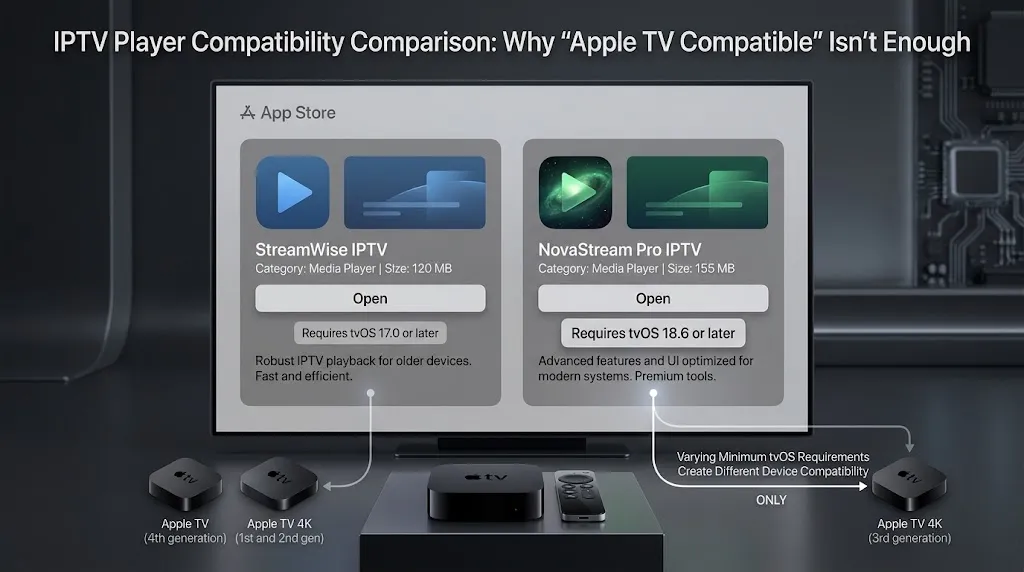
This phrase appears on nearly every roundup, and on its own it tells a reader almost nothing.
Two current listings make the point without needing a long list.
| Player | Minimum, per its App Store listing | What it shows |
|---|---|---|
| IPTV Player Live | tvOS 17.0 or later | The listing covers iPhone, iPad, Mac and Apple TV, each with its own minimum—”works on Apple devices” and “works on your Apple TV” are different claims |
| iPlayTV | tvOS 18.6 or later | Minimums are not round numbers, and a point release can be the deciding digit |
Both are described as Apple TV apps. Both accept M3U playlists and Xtream Codes credentials. They are still available to different sets of devices because their minimums differ by more than a year of tvOS releases.
The practical consequence is worth stating plainly: a list of the best IPTV players for Apple TV is only useful alongside the tvOS minimum for each one and the version your device runs. Without both numbers, the list is a description of somebody else’s Apple TV.
This is also why the newest players tend to be the ones missing on older hardware. A developer targeting recent tvOS gets current APIs and a simpler codebase; the cost is excluding devices that cannot reach that version. As more players adopt tvOS 27 in the coming months, Apple TV HD and first-generation Apple TV 4K owners will gradually find fewer new options—while everything already installed keeps running.
What These Apps Do and Do Not Give You
A Player Is Not a Service
Every player described here is empty on installation.
None of them include channels, films, or a program guide. They are software for connecting to a service you already have, in the same way a web browser includes no websites. Installing one and finding nothing to watch is the expected result, not a fault.
M3U or Xtream Codes
Providers supply access in one of two forms, and tvOS players generally accept both.
An M3U playlist is a single URL or file describing a channel list. Xtream Codes is a set of three values — a server address, a username, and a password — entered in separate fields; our article on what Xtream Codes are covers what each field does. Entering one where the other is expected is a common cause of an apparent failure that is nothing of the kind.
Which players suit which needs is a separate question from platform compatibility, and our comparison of the best IPTV apps for Canadian viewers covers it. The entry process itself is in our IPTV setup guide for Canada.
Checking Before You Buy or Blame the App
There is a wrinkle here that makes this section more useful than it sounds.
Apple provides official model identification and tvOS support information, but it does not currently provide a simple consumer-facing table mapping every Apple TV generation to the tvOS 27 compatibility cut-off. What did appear was inconsistent—9to5Mac noted that Apple’s developer portal appeared to list the Apple TV HD as compatible, which was reported as likely an error.
When published compatibility lists disagree with each other, they are not the authority. Your own device is.
Both figures live in the same place: Settings → General → About, which reports the model and the installed tvOS version. That reading beats any list on the internet, including this one. Apple also publishes a reference for identifying your Apple TV model if the on-screen name is not enough.
For a purchase, the reasoning follows the chain. The Apple TV 4K second generation (2021) is the oldest model that continues to receive new tvOS versions, which makes it the sensible floor for someone buying specifically to run player apps for years rather than months. Buying an older unit second-hand is not a mistake if you understand what you are getting — a device that works now, on a version that has stopped advancing.
Where This Leaves Canadian Viewers
Nothing in the compatibility chain is specific to Canada. App Store catalogues do vary by storefront, so a player visible in one country’s listings is not guaranteed in the Canadian store—worth checking directly rather than assuming.
On the legal side, none of the above says anything about lawfulness. A player app is neutral software with no content of its own; whether any particular service is lawful depends on that service’s rights and authorization, which we cover in whether IPTV is legal in Canada. See also our disclaimer.
Conclusion
IPTV on Apple TV is available, straightforward, and constrained by something most coverage never mentions. Key points to carry forward:
- Player apps accepting M3U playlists and Xtream Codes credentials are on the tvOS App Store—no unusual installation route is involved
- Apple TV does not offer the Android-style APK sideloading route used on some other streaming devices
- The chain runs: Apple TV generation → supported tvOS → App Store compatibility → which players you can install
- Two current player listings ask for tvOS 17.0 and tvOS 18.6, respectively, so “compatible with Apple TV” means little without a version number
- tvOS 27 is reported to exclude the Apple TV HD and first-generation Apple TV 4K; if so, both stay on tvOS 26 and lose access to future versions, not to IPTV
- Published compatibility lists have contradicted each other—Settings → General → About is the reliable check
- A player contains no channels; it connects to a service you already hold
If something here is wrong or has changed, tell us through the contact page—corrections are welcome, and we read every message. For the broader hardware picture, return to our guide to IPTV devices in Canada.
Sources
- IPTV Player Live: M3U & Xtream — App Store listing, describing playlist and Xtream Codes import and tvOS availability. Accessed 27 August 2026.
- iPlayTV — IPTV/M3U Player — App Store listing, describing multiple playlists and Xtream Codes support on Apple TV. Accessed 27 August 2026.
- Which Apple TV model do I have? — Apple Support (Canada), stating which Apple TV models are supported by tvOS. Accessed 27 August 2026.
- Identify your Apple TV model: Apple Support (Canada), full model reference. Accessed 27 August 2026.
- tvOS 27 drops support for two Apple TV models: 9to5Mac, June 2026, reporting the compatibility cut-off and the developer portal discrepancy. Accessed 27 August 2026.
- tvOS 27 compatible Apple TV models: MacRumors, June 2026, reporting the supported model list. Accessed 27 August 2026.