
Most reviews of this player open with the feature list and the price. That order made sense two years ago. It does not now, because the first thing a Canadian buyer needs to know in 2026 is whether the device sitting under their television can install TiviMate at all — and on some newer devices, the answer is no. This TiviMate review starts there, then covers what the app does, what the free version actually gives you, and why the price you find quoted online varies so widely between sources.
If you are still deciding between players generally rather than evaluating this one, our comparison of the best IPTV app for Canadian viewers covers the wider field and explains how players differ from providers.
Reviewed for accuracy: August 2026.
Quick answer: TiviMate is an IPTV player built for Android-based television platforms, widely regarded for its guide presentation and channel management. It suits viewers on Android TV, Google TV, and Fire OS devices who want a cable-like interface. It is not an option on Samsung Tizen, LG webOS, iOS, or Amazon’s newer Vega OS sticks, which are not Android-based. Fire TV devices running Fire OS remain Android-based and continue to support it, though Amazon’s 2026 measures can block specific app installations on those devices. Check which platform you are on before anything else.
TiviMate Review: Is It Worth Using in Canada?
For the right platform, TiviMate remains a strong option. The guide layout, channel organisation, and playback behaviour are the qualities most often cited when Canadian viewers recommend it.
It fits well if you watch on an Android TV box, a Google TV device, an NVIDIA Shield, or a Fire TV device running Fire OS, and you want a programme guide that resembles cable rather than a grid of app tiles.
It fits poorly if your main screen is a Samsung or LG smart TV, if you watch primarily on a phone or tablet, if you own one of Amazon’s newer sticks, or if you want a single player that follows you across every device you own. In each of those cases the constraint is platform, not quality — and no amount of preference changes it.
That constraint is the whole reason this review leads with compatibility.
TiviMate Device Compatibility in 2026
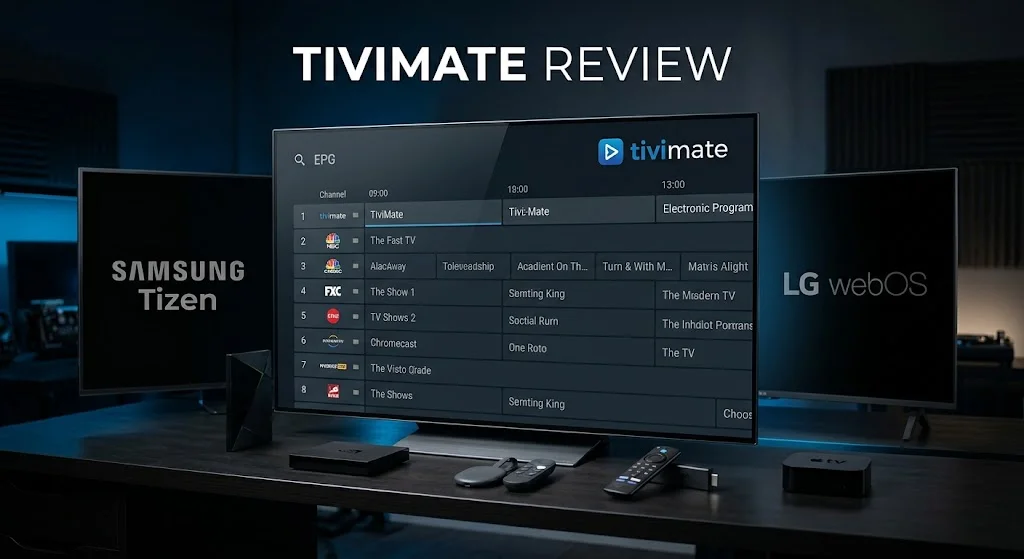
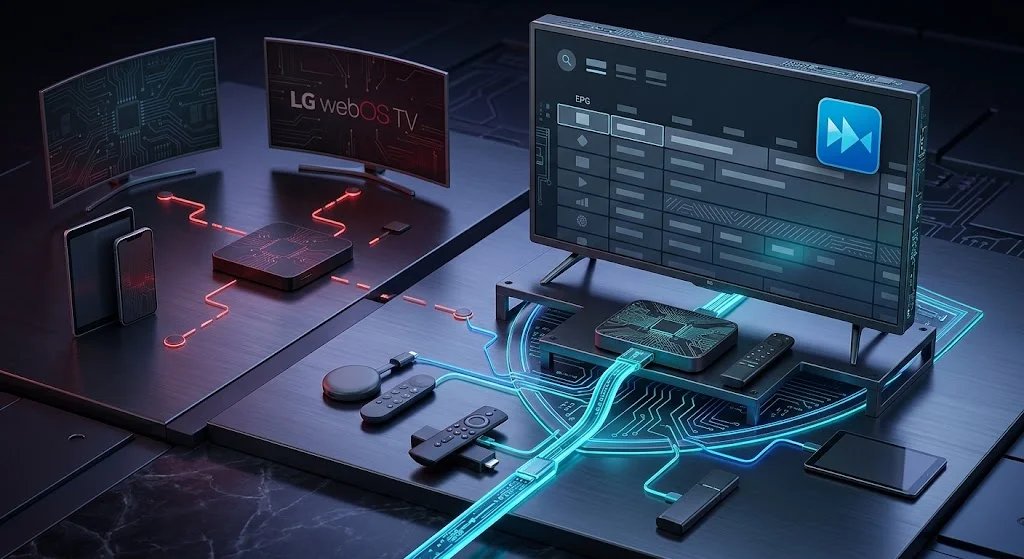
TiviMate is an Android application, and the developer’s own site lists Android TV, Google TV, and Amazon Fire TV among its supported platforms. Everything about where it runs follows from that, and platform is what decides it — not brand, not price, not model year.
| Platform | TiviMate available | Note |
|---|---|---|
| Android TV | Yes | The platform it was designed for |
| Google TV | Yes | Android-based |
| Android TV box | Yes | Including NVIDIA Shield |
| Fire OS | Yes, with a caveat | See the Firestick section below |
| Amazon Vega OS | No | Not Android-based |
| Samsung Tizen | No | Different platform, different package format |
| LG webOS | No | Different platform, different package format |
| iOS and iPadOS | No | No Apple version |
Where TiviMate Runs
Any device running a version of Android built for television is the natural home for this player. That covers dedicated Android TV boxes, Google TV devices, the NVIDIA Shield range, and Fire TV devices running Fire OS, Amazon’s Android-based operating system.
On these platforms the app installs the way Android apps normally do, and the experience is the one the reviews describe.
Where It Does Not
Three platforms are out, and for the same underlying reason in two of the three cases: they are not Android, so they cannot run Android application packages.
Samsung Tizen and LG webOS are entirely separate operating systems, and neither appears among TiviMate’s supported platforms. A Samsung or LG smart TV cannot install it regardless of how new the set is. Viewers on those platforms need a player built for Tizen or webOS, or an external streaming device — covered in Samsung TV IPTV setup and LG TV IPTV setup.
iOS and iPadOS have no TiviMate version. This is a straightforward gap in coverage rather than a technical barrier, and it is one reason Canadian households may end up running two different players.
What Happened on Firestick
This is one of the most persistent questions around TiviMate and Firestick, and it has two separate answers that get tangled together constantly.
Amazon’s newer sticks run Vega OS. As AFTVnews documents, the Fire TV Stick 4K Select and the Fire TV Stick HD released in April 2026 use Amazon’s own Linux-based operating system rather than the Android-based Fire OS. Because they are not Android devices, they do not install Android application packages — so TiviMate has no route onto them. Those older Fire OS models, including the 4K Max and 4K Plus, remain Android-based, so the Vega OS compatibility issue does not apply to them.
Separately, Amazon began blocking certain app installations in early 2026. 9to5Google reported in January 2026 that some sideloaded apps on Fire OS devices now show a full-screen “app installation blocked” message, citing access to unlicensed content. Reports indicate this rollout has been gradual rather than universal.
The distinction matters because the two produce identical frustration and need opposite responses. A Vega OS device has no Android installation path at all — that is a hardware and platform limitation. A Fire OS device retains the capability, and any block applies to specific applications rather than to the device. Our Firestick IPTV setup guide covers how to identify which of the two you own in about thirty seconds.
What TiviMate Actually Does
Rather than repeating what an IPTV player is — our comparison guide covers that ground — here is what distinguishes this one.
The Guide Experience
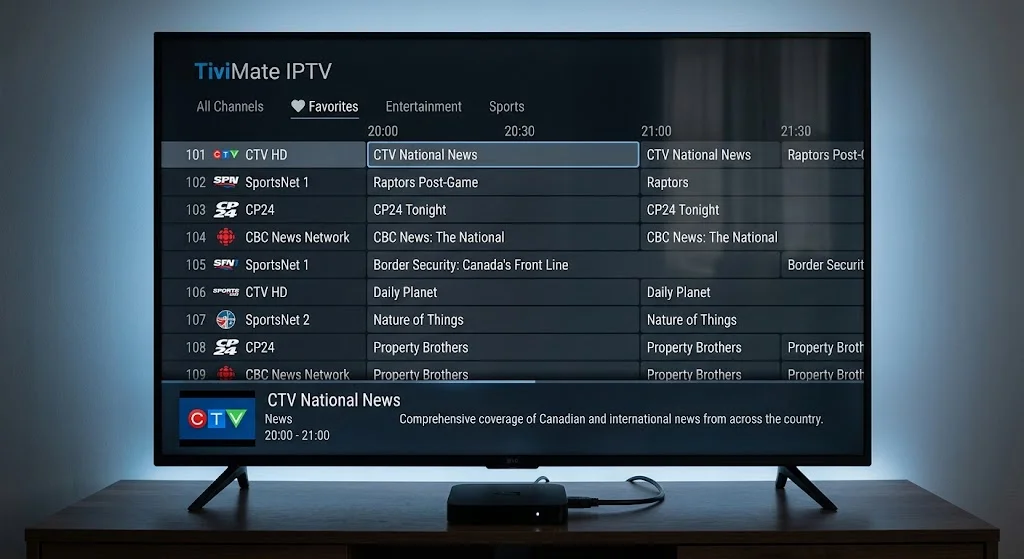
The programme guide is one of the features most often highlighted when TiviMate is compared with other IPTV players. It presents channels in a scrolling grid with programme information alongside, which reads much closer to a traditional cable guide than the list-based approach most players use.
Guide data still comes from your provider’s XMLTV feed, so the app displays what it is given. A well-populated guide reflects a good provider feed as much as a good player — and when the guide misbehaves, the cause is usually upstream. Our guide to IPTV EPG not working covers that in detail.
Playlist and Channel Management
Channel organisation is the second reason for its reputation. Reordering channels, building favourites, hiding entire categories, and renaming groups are all handled within the app, and the arrangement persists.
The app accepts both credential formats — M3U playlist URLs and Xtream Codes logins. Which one you use depends on your provider, and entering one in the field meant for the other is a common source of apparent failure. Our IPTV setup guide for Canada covers the entry process. Terms used here are defined in our IPTV glossary.
TiviMate Free vs Premium
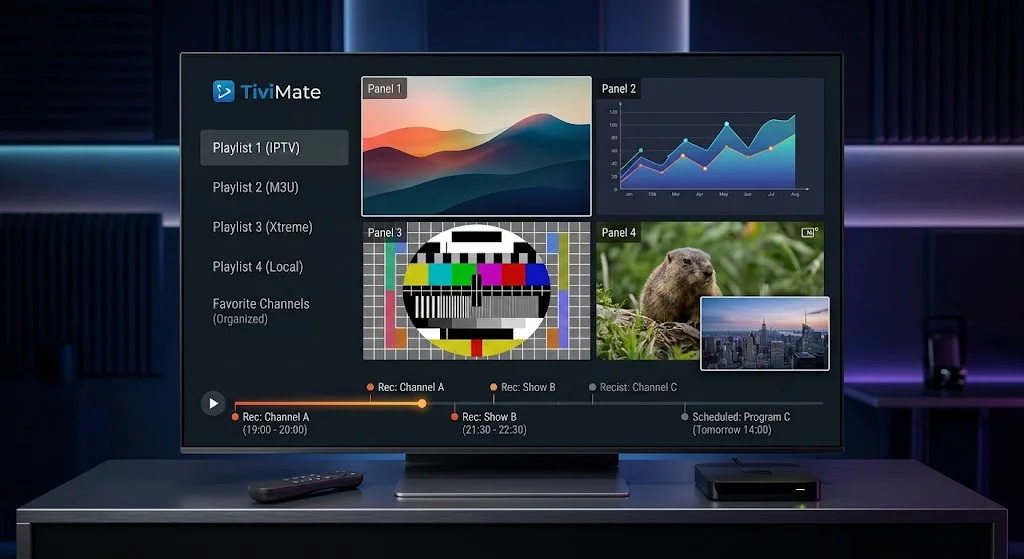
The free version is not a trial. It is a functioning player, and for a substantial number of viewers it is all they ever need.
What the Free Version Covers
Free TiviMate handles one playlist with full guide support and live playback. If you have a single IPTV subscription and want a better interface than the one your provider supplied, this covers it without paying anything.
That single-playlist limit is the boundary most people eventually hit — and only if they take on a second subscription.
What Premium Adds
The paid tier is generally described as adding: multiple playlists in one app, recording with a scheduler, picture-in-picture and multi-view, catch-up support, parental controls, and use across several devices under one licence. Feature sets change between releases, so TiviMate’s own site is the place to confirm what a current version includes before buying.
The multiple-playlist capability is the one most upgrade discussions centre on. Running two providers in a single interface, each keeping its own guide and channel order, is difficult to replicate any other way.
Worth stating plainly: Premium unlocks features in the player. It includes no channels, no content, and no subscription. It is a fee paid to the app developer, entirely separate from whatever you pay a provider.
Buying Premium — The Companion App
Show Image The player runs on your television. The purchase happens somewhere else entirely.
Here is the part almost no review explains, and the reason a recurring question exists about buying Premium without an Android device.
Why Purchase Happens in a Separate App
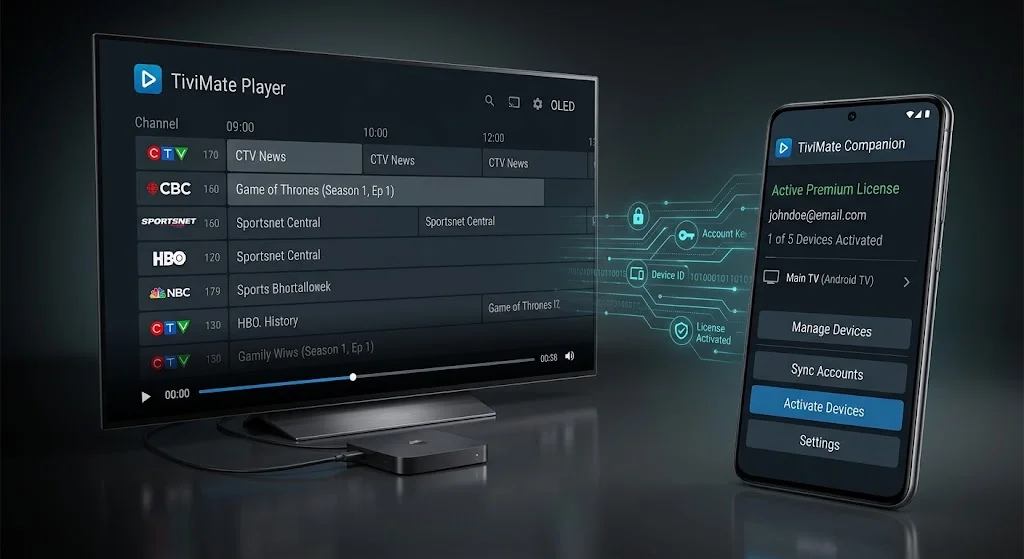
Premium is not bought inside the player on your television. It is bought through TiviMate Companion, a separate application that handles account management, licensing, and device assignment.
The separate-app approach also creates an extra step for buyers who only use a TV device, and it is not something most buyers discover until after they decide to purchase.
If You Only Own a Firestick
Companion is an Android application. A viewer whose only TiviMate device is a Firestick, with an iPhone in their pocket and no Android phone in the house, has no obvious place to run it.
The workarounds people describe involve installing Companion on the streaming device itself, or borrowing an Android phone or tablet. Neither is difficult, but both are unexpected, and discovering the requirement after deciding to buy is where the frustration comes from.
Factor this in before committing. If nobody in your household owns an Android device, confirm the purchase path works for you first.
Why TiviMate Prices Differ Between Sources
Search for the price and you will find figures that do not agree — different annual amounts, different lifetime amounts, different currencies, all published within months of each other and all presented confidently.
We are not going to add another number to that pile, because a price quoted in an article is a snapshot that stops being true without warning. What is more useful is understanding why the figures scatter:
- Purchase channel. Buying through Companion, through a platform store, or through the developer’s site can involve different pricing structures.
- Region. Pricing is not uniform worldwide, and what a US-based reviewer sees is not necessarily what appears in a Canadian account.
- Billing currency. At least one source notes that prices displayed in US dollars are charged in euros in some regions.
- Licence type. Annual and lifetime options exist at different amounts, and comparing one against the other produces apparent contradictions.
- Promotions. Sale pricing appears in articles and then persists long after the sale ends.
The reliable answer is the live figure in the Companion app or on the developer’s own site at the moment you buy. Everything else is a historical record of what someone once paid.
What Canadian Buyers Should Expect
Two considerations specific to buying from Canada.
Currency conversion applies. Pricing is not published in Canadian dollars. Your card issuer converts, and the rate is theirs rather than the developer’s — so the amount leaving your account will not match the figure displayed.
Foreign transaction fees may apply. Your card issuer may add a fee on purchases charged in a currency other than Canadian dollars. On a small annual fee the effect is minor. On a larger one-time purchase it is worth checking your card’s terms first, since some cards carry no such fee at all.
Neither changes whether the app is worth buying. Both explain why the amount you are charged differs from the number you read.
The Two TiviMate Apps
A recurring confusion worth clearing up, because it produces some genuinely puzzling search queries.
There are two applications, not one:
TiviMate is the player. It runs on your television device, displays your channels, and does the actual watching.
TiviMate Companion is the management app. It handles your account, your Premium licence, and which devices that licence covers. It does not play anything.
Both carry the same name in app listings, which is why people encounter one expecting the other and conclude something is wrong. You need the player to watch. You need Companion only to buy or manage Premium.
TiviMate for Canadian Viewers
Two things Canadian users encounter more than most.
Time zones and the guide. Canada spans six time zones, and a guide showing programmes at the wrong hour is almost always a time-zone conversion issue rather than a provider fault. TiviMate provides an EPG time-offset setting on the guide source, so viewers in different Canadian time zones may need different values. Newfoundland is a special case, since its standard offset is thirty minutes rather than a whole hour. Our IPTV EPG not working guide covers the wider diagnosis.
Provider compatibility varies. The same credentials sometimes behave differently across players, depending on how a provider’s backend was built. If a subscription loads in one player and not another, that is worth testing before assuming either the app or the subscription is broken.
Alternatives by Device
If TiviMate is not available on your platform, the substitute depends entirely on what you own.
| Your platform | Where to look instead |
|---|---|
| Samsung Tizen | A Tizen-compatible player from the Samsung catalogue |
| LG webOS | A webOS-compatible player from the LG Content Store |
| iPhone or iPad | An iOS-compatible player |
| Amazon Vega OS | An Appstore player, or an external Android device |
| Android but want free | A free Android player with Xtream Codes support |
Our comparison guide covers the specific options in each category. If the answer turns out to be new hardware rather than a new app, our best IPTV device in Canada guide covers that decision.
Who Should Use TiviMate — and Who Should Not
Worth it if you are on Android TV, Google TV, or a Fire OS device; you value guide presentation and channel organisation; and you either run one playlist happily on the free tier or run several and will use Premium properly.
Not worth it if your main screen is a Samsung or LG smart TV; you watch mainly on iOS; you own a Vega OS stick; nobody in your household has an Android device for Companion; or you want one player across every screen you own.
Legal note: this review covers a player application only. IPTV Concepts does not sell, recommend, or endorse any IPTV subscription service. A player is neutral software — what determines whether viewing is lawful is the content source and its distribution rights. See what Canadian law says about IPTV and our disclaimer.
Final Verdict
TiviMate remains one of the better-known IPTV players for Android television platforms, and the reasons are the ones its users cite: a guide that reads like cable, channel management that stays organised, and playback that behaves.
What has changed in 2026 is not the app. It is the ground underneath it. Amazon’s newest sticks are no longer Android devices, Samsung and LG were never running Android to begin with, and Apple has no version at all. The result is a player that is excellent where it runs and unavailable across a widening share of what Canadians actually buy.
So the question worth asking is not whether TiviMate is good. It is whether your platform can run it — and if the answer is yes, whether the free tier already covers what you need before you look at Premium at all.
Still weighing your options? Our best IPTV app for Canadian viewers guide compares the alternatives by device. Anything this TiviMate review has not covered is welcome through our contact page.
Sources
- 9to5Google — Amazon Fire TV is now blocking the installation of some sideloaded apps — January 2026. Accessed August 2026
- AFTVnews — Fire TVs that do not support sideloading due to Vega OS replacing Fire OS — model identification. Accessed August 2026
- TiviMate official site — supported platforms, Premium features, and the Companion app. Accessed August 2026
- TiviMate Guide — adjusting EPG time offset — where the per-source offset setting lives. Accessed August 2026