
Ask how does IPTV works in Canada, and you will get a dozen pages answering a different question. They tell you what the acronym stands for, what it costs, and which subscription to buy. Almost none describe the path a stream actually travels to reach your television.
That path has seven stages, and every buffering complaint, failed login, and empty program guide starts at one of them. If the subject is new to you, start with what IPTV is in plain English — this guide continues from there.
By the end you will know exactly where an IPTV stream travels, why buffering happens on connections that test fine, and which problems are actually yours to fix rather than your provider’s.
The Short Answer — How Does IPTV Work?
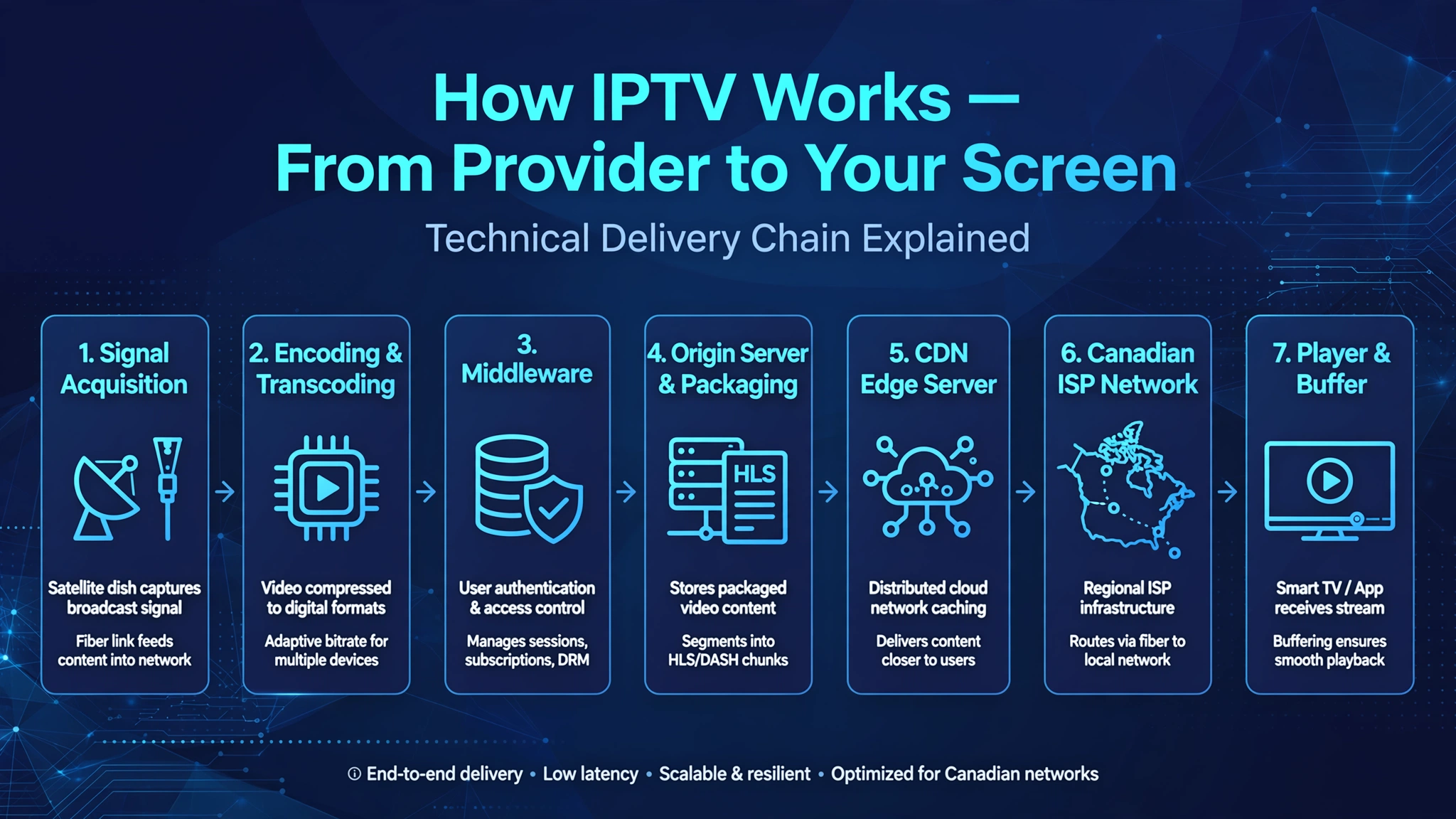
IPTV works by capturing a television signal, compressing it into several quality versions, and holding it on servers that stream it to your device on request. When you select a channel, your player app authenticates with the provider’s middleware, receives the stream’s location, and requests it from the closest content delivery server. That data crosses your ISP’s network to your router, where your player buffers a few seconds ahead and plays it as continuous video.
Understanding that chain changes how you troubleshoot. Instead of guessing whether the fault is your internet, your app, or your provider, you can read the symptom on screen and know roughly which stage failed—and, more usefully, whether it is something you can fix.
How Does IPTV Work? The Seven Stages of a Stream
The full architecture, top to bottom:
Broadcaster
    │
Encoder
    │
Transcoder
    │
Middleware
    │
Origin Server
    │
CDN Edge
    │
ISP
    │
Player
Stage 1 — Signal Acquisition
Everything starts with a source feed. A provider receives the original broadcast—via satellite downlink, fibre feed from a broadcaster, or an existing internet stream—and brings it into its own infrastructure. This is the only point where the content still exists in its original broadcast form.
Nothing here is visible to you, which is exactly why the failures of this part of the system confuse people. When one channel shows a blank screen while every other channel plays normally, that channel’s source feed has usually dropped.
Stage 1 also settles a question Canadians ask constantly: which channels a service carries. There is no standard list. A provider delivers only what it acquires here, which is why CBC, CTV, Global, TSN, and Sportsnet appear on some services and not others. Channel counts advertised in the tens of thousands describe how many feeds a service claims to have acquired — not how reliably any of them play.
Stage 2 — Encoding and Transcoding
The raw feed is far too large for the open internet, so it gets compressed. An encoder converts it into a digital format such as H.264 or H.265. A transcoder then produces several versions of the same channel at different quality levels—typically 1080p, 720p, and 480p.
This step is what makes adaptive streaming possible. Without multiple renditions sitting ready, your player would face a single choice: full quality or nothing.
Poor encoding results in picture quality that remains mediocre on every device, at every hour. If the picture looks soft on your phone, your Fire Stick, and your smart TV alike, the problem was baked in before the stream ever left the provider.
Stage 3 — The Middleware Layer
Here is the piece with no competing Canadian guide names and the one that explains the most confusing failures.
Middleware is the control system between you and the video. It handles your login; checks whether your subscription is active; decides how many devices you may use at once; assembles your channel list; and serves your program guide. It is a database and an authorization system—it never touches the video itself. This and every other term used here is defined in our IPTV glossary.
Important: Middleware never carries video. It decides whether you are allowed to watch and what you are allowed to see — nothing more.
That separation matters enormously. It is why your channel list, your login, and your guide each fail independently while the video streams stay perfectly healthy. When your player rejects credentials that have not changed, you are looking at a middleware problem, not a streaming one.
Stage 4 — Origin Server, Packaging, and Streaming Protocols
Once you are authorized, the request reaches the origin server—the authoritative copy of every stream. Before delivery, the video gets packaged in one of two formats.
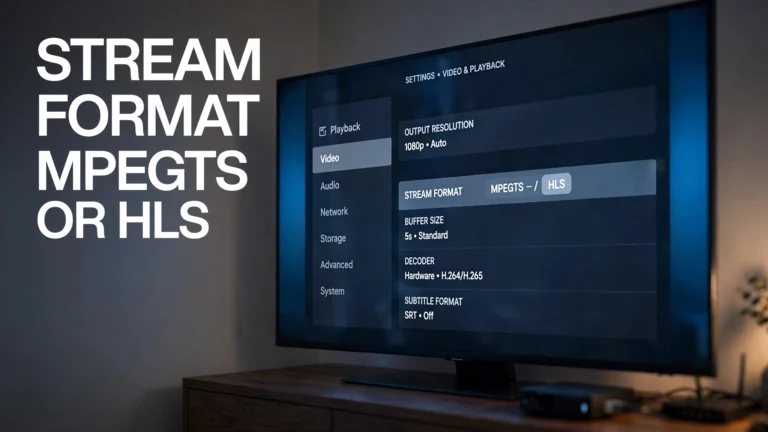
HLS (HTTP Live Streaming) chops each channel into segments of roughly two to ten seconds and publishes a manifest, a small text file listing where those segments live and what quality options exist. Your player reads the manifest, then requests segments in sequence:
Manifest (.m3u8)
    │
    ├── segment_001.ts
    ├── segment_002.ts
    ├── segment_003.ts
    │
    ▼
  Player
Because it travels over ordinary HTTP, the IETF specification for HLS notes it works with existing web caching infrastructure and adapts bit rate to network conditions—which is why nearly every device supports it. The segmenting adds delay, though, typically ten to thirty seconds behind live.
MPEG-TS (MPEG Transport Stream) sends a continuous stream instead of discrete files. Latency drops to a few seconds, which matters when your neighbours are watching the same hockey game on cable and you would rather not hear the goal before you see it. The trade-off is fragility: MPEG-TS recovers less gracefully from an unstable connection.
Most Canadian third-party services offer both, and most player apps use whichever the provider’s URL specifies. When the origin has a problem, the symptom is unmistakable—the channel simply refuses to load, with no picture and no error beyond a timeout.
Stage 5 — CDN Edge Servers and Why Location Matters
A single origin cannot serve every viewer in Canada, so providers replicate streams across a content delivery network. Each copy sits on an edge server positioned near a population centre.
Toronto viewer   →  Toronto edge server   →  Origin
Vancouver viewer →  Vancouver edge server →  Origin
Same origin, same channel, two entirely different journeys. A Toronto viewer served from a Toronto edge node gets a stream that has travelled a short distance over a well-provisioned route. A viewer in a smaller market may be routed to Montreal or across the border to Seattle or Buffalo, adding distance and hops.
This is the most under-explained factor in Canadian IPTV performance. Two subscribers on identical plans with identical speeds can have very different experiences purely because of which edge server their traffic lands on. When an edge node is overloaded — most often during a major live event — the buffering arrives at predictable times rather than randomly.
Stage 6 — The Canadian Last Mile
From the edge server, the stream crosses your internet provider’s network to reach your router.
A distinction worth understanding appears here. Canada’s three major carriers all run their own managed IPTV platforms: Bell Fibe TV over Bell’s fibre network, Telus Optik TV over Telus infrastructure, and Rogers Ignite TV as IP-based managed television. On those services the carrier controls the entire path from source to set-top box, and television traffic travels on infrastructure engineered specifically to carry it.
A third-party IPTV stream has no such arrangement. It crosses the open internet, and at this stage it is treated as ordinary data rather than television. Canadian ISPs may manage network traffic under the framework the CRTC established for internet traffic management practices, which permits technical measures to address congestion provided they are disclosed. A third-party stream carries no special priority. During peak evening hours, when an entire neighbourhood streams at once, congestion in this segment produces interruptions that have nothing to do with your provider, your app, or your equipment.
The practical consequence: the same subscription behaves differently on Bell, Telus, and Rogers connections in the same city—not because a carrier singles out IPTV, but because managed television and open-internet video are two different classes of traffic sharing one last mile.
This stage is also where the detection question belongs. IPTV traffic is technically identifiable, producing sustained data flow, consistent packet patterns, and connections to catalogueable server addresses. A network operator can see that a connection carries video streaming. What follows from that observation is a legal and regulatory matter rather than a technical one, covered in what Canadian law actually says about IPTV. Questions about blocking IPTV outright run into an obvious problem: Bell, Rogers, and Telus all depend on the technology for their own products. Whether routing around traffic management helps is answered separately in Do I need a VPN for IPTV?.
Stage 7 — Your Player and Its Buffer
The final stage is the app on your device. Your player requests the stream, decodes it, and holds a small buffer — usually a few seconds of video downloaded ahead of what you are watching.
That buffer absorbs brief network hiccups invisibly. When data stops arriving for longer than the buffer can cover, it empties and playback freezes. This is why the freeze appears at your player even though the cause almost always sits upstream: the player is simply where the problem becomes visible.
Buffer behaviour also varies by app and hardware. A device short on memory holds a smaller buffer and stumbles on connections a more capable box handles without complaint. Our comparisons of the best IPTV app for Canadian viewers and the best IPTV device in Canada cover how much this matters in practice.
The Delivery Chain at a Glance
| Stage | What Happens | Symptom If It Fails |
|---|---|---|
| 1. Acquisition | Source feed captured | One channel offline, the others are fine |
| 2. Encoding | Multiple quality versions created | Consistently poor picture everywhere |
| 3. Middleware | Login, subscription, channel list, guide | Login failed, missing channels, empty guide |
| 4. Origin | Stream packaged as HLS or MPEG-TS | The channel will not load at all |
| 5. CDN edge | The stream is delivered from nearby server | Buffering at predictable peak times |
| 6. ISP | Packets cross the Canadian last mile | Random interruptions at peak hours |
| 7. Player | Buffering and playback | Spinning circle, freezing after minutes |
Unicast vs Multicast—The Split That Explains Everything
One architectural decision separates a licensed Canadian telco IPTV service from a third-party one, and it explains more about performance differences than any other single factor.
How Bell Fibe TV Uses Multicast
Multicast sends one copy of a stream into the network, and the network duplicates it only where paths diverge. Ten thousand Toronto households watching the same channel are served by a single stream that splits near the end of its journey—not ten thousand separate streams leaving the source.
This works only on a managed network, infrastructure the operator controls end to end. Bell Fibe TV, Rogers Ignite TV, and Telus Optik TV all run on exactly that. It is why these services stay stable during a Leafs game while the open internet strains: the popular-channel case is the one multicast handles best.
Why Third-Party IPTV Must Use Unicast
Third-party services have no managed network. They deliver over the public internet, which means unicast — a separate connection for every viewer.
Ten thousand viewers means ten thousand simultaneous streams leaving the CDN. Load scales directly with audience, and the busiest moments are exactly when the most people want to watch. This is the architectural reason third-party IPTV struggles during major live events while working flawlessly on a Tuesday afternoon.
| Feature | Multicast | Unicast |
|---|---|---|
| Streams per viewer | One shared | One each |
| Network type | Managed, ISP-owned | Public internet |
| Typical use in Canada | Bell Fibe, Rogers Ignite, Telus Optik | Third-party IPTV services |
| Scalability | Very high | Limited by server capacity |
| Peak-time congestion | Minimal | Common |
This split is also where technology and licensing meet, since the operators running managed networks are the same ones holding CRTC broadcasting licenses. See also our disclaimer.
What Your Provider Actually Gives You
When you subscribe, you receive credentials in one of two formats, plus usually a third feed for the program guide. Each talks to a different part of the chain, which is why they break independently.
The M3U Playlist—a Directory, Not a Video
An M3U playlist does not contain television channels. It only tells your player where those channels are located.
This is the most persistent misconception in Canadian IPTV. An M3U file is a plain text document listing channel names and the address of each stream. Open it in a text editor and you will find no video whatsoever — only a directory.
The practical consequence: an M3U file that loads perfectly while every channel fails means the playlist is fine and the streams it points to are not. Two separate problems, two separate stages.
Xtream Codes — the Authentication Path
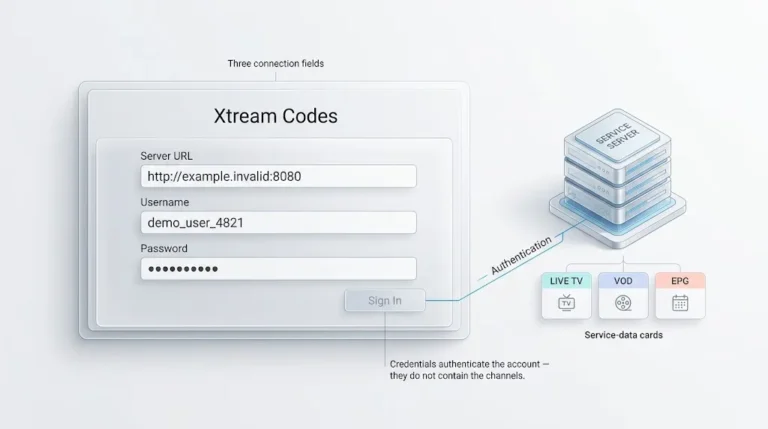
Xtream Codes gives your player three pieces of information rather than one link, because it queries the middleware directly instead of reading a static list.
Player → portal URL + username + password
       → middleware
       → subscription check
       → channel list returned
       → player displays channels
Because the list is built the moment you connect, changes on the provider’s side appear immediately without you refreshing anything. It also means every failure along that path reports as a login problem even when your credentials are correct—an expired subscription, a device limit, or middleware downtime all surface the same way.
XMLTV and the Programme Guide
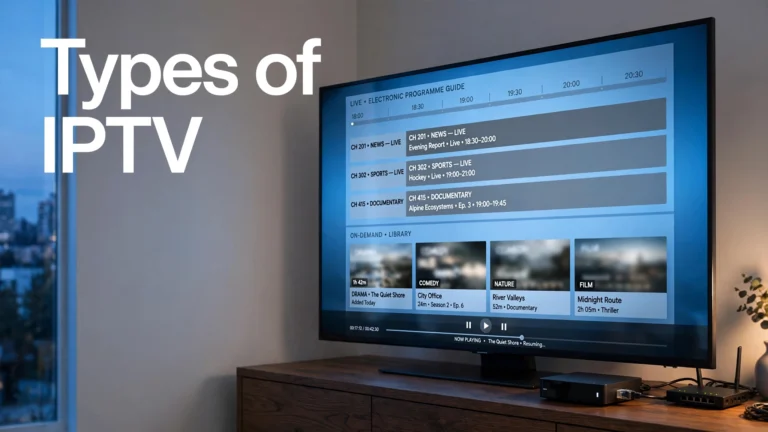
Your guide does not travel with your video. It arrives as XMLTV data from a separate URL, on its own schedule, from a system unrelated to the streams.
The classic symptom: live TV keeps playing normally, but every channel displays “No Information” where the guide should be. The XMLTV feed has failed while the video path stays entirely healthy. Nothing is wrong with your connection, device, or subscription—one feed of three has stopped, and it is not the one carrying the picture.
For entering any of these into a player, our IPTV setup guide for Canada covers the process device by device.
Adaptive Bitrate — Why Quality Drops Instead of Freezing
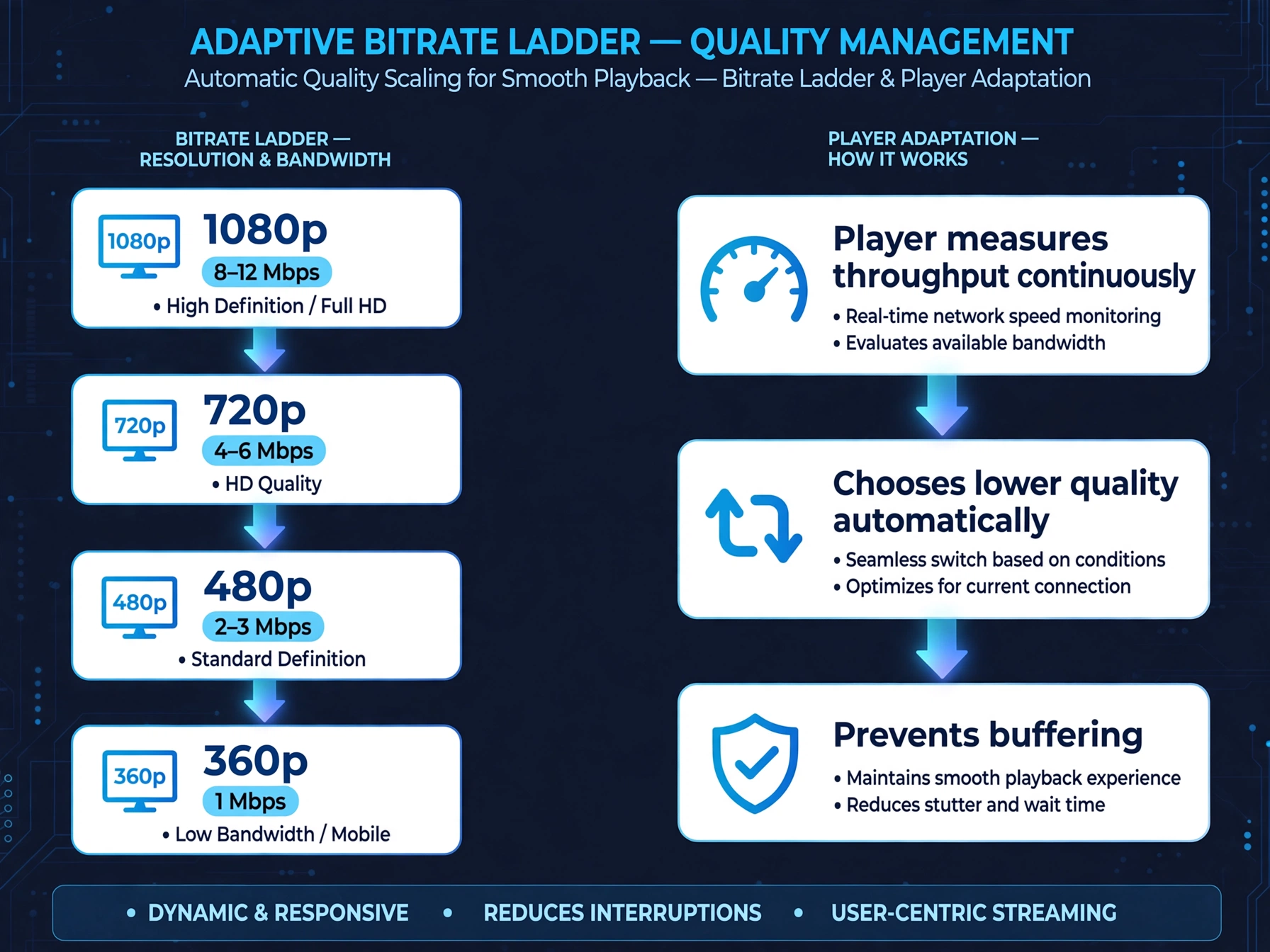
Remember the multiple renditions created back at Stage 2. Adaptive bitrate is the mechanism that uses them.
Your player continuously measures how fast segments arrive. When throughput drops, it requests the next segment from a lower rung of the ladder:
8–12 Mbps  →  1080p
4–6 Mbps   →  720p
2–3 Mbps   →  480p
1 Mbps     →  360p
Those numbers are video bitrates, not connection speeds — and confusing the two is why so many Canadians report buffering on connections they were told were more than fast enough.
Common myth: Faster internet does not automatically mean smoother IPTV. Speed is one stage out of seven.
A 1080p stream carrying 10 Mbps of video does not run comfortably on a 10 Mbps connection. It needs headroom: capacity to absorb the moments when other devices in the house compete, when your ISP’s network is congested, or when a segment arrives late. That gap is the difference between the minimum and recommended figures in every speed table, including the one in our guide to what IPTV is.
Adaptive bitrate also explains a symptom that puzzles people: picture quality that visibly softens during a live match and sharpens afterwards. Nothing is broken. The system is choosing a watchable lower quality over a frozen higher one.
It answers the most common complaint in Canadian IPTV too — buffering on a demonstrably fast connection. Speed is one stage out of seven. A 500 Mbps line cannot compensate for an overloaded edge node at Stage 5, congestion at Stage 6, or a player holding too small a buffer at Stage 7.
Show the image, read the symptom, identify the stage, and know who can fix it.
Where IPTV Breaks—Matching Symptom to Stage
This is the practical payoff of everything above.
| Symptom | Likely Stage | Who Can Fix It | Try First |
|---|---|---|---|
| Buffering at peak hours | CDN edge / ISP | ISP or provider | Speed test during the problem, not after |
| Login failed | Middleware | Provider | Confirm subscription status and device limit |
| Guide empty, channels play | XMLTV feed | Provider | Refresh the guide in player settings |
| One channel black, the others are fine | Source acquisition | Provider | Wait, then retry in an hour |
| Every channel fails, playlist loads | Origin or middleware | Provider | Test the same credentials in a second app |
| Freezing after a few minutes | Player buffer | You | Try another device to isolate the hardware |
| Picture soft on every device | Encoding | Provider | Nothing—this is upstream |
Notice the pattern in the third column. Most IPTV failures are provider-side, which means the hours spent reinstalling apps and rebooting routers often address the one stage that was working properly. For a step-by-step walkthrough of the fixes genuinely yours to make, see our complete IPTV fix guide for Canada.
IPTV vs Netflix vs. Cable—Three Delivery Models
The seven-stage chain is not unique to IPTV, but each service arranges it differently.
| Third-party IPTV | Netflix | Bell Fibe / Rogers Ignite | |
|---|---|---|---|
| Content type | Live linear | On-demand | Live linear |
| Delivery | Unicast, public internet | Unicast, adaptive | Multicast, managed network |
| Access method | M3U or Xtream Codes | DRM app login | Set-top box and subscription |
| Quality control | Split between provider and your ISP | Netflix’s own CDN, end-to-end | Single operator, end-to-end |
The critical difference is control. Netflix operates its own delivery network and can guarantee quality from its servers to your door. Bell owns the network your Fibe stream travels on. A third-party service controls the first four stages and hands the rest to infrastructure it has no relationship with — which is precisely why the same subscription performs differently for two people in different Canadian cities.
That table also explains why Netflix cannot be delivered through an IPTV subscription, a claim some services still make. Netflix content is protected by DRM and reachable only through Netflix’s own apps and network. It is not a linear channel with a stream address, so there is nothing for an M3U playlist to point at. The obstacle is architectural, not commercial.
Bottom Line
Every IPTV stream follows the same fundamental architecture. The differences you notice between providers appear in encoding quality, server capacity, CDN coverage, and infrastructure — almost never in the technology itself. Two services running identical protocols can deliver very different experiences because one invested in edge servers near Canadian cities and the other did not.
Three things worth carrying away from how IPTV works in practice:
- Seven stages, one visible symptom. The freeze always appears at your player, but the cause usually sits further up the chain—most often at the CDN edge or the ISP last mile.
- Middleware is separate from video. Your login, channel list, and guide travel a different path than your picture, which is why they fail independently and why an empty guide during working playback is normal rather than alarming.
- Unicast versus multicast explains the performance gap. Licensed Canadian services on managed networks scale differently than third-party services on the open internet, and no amount of tuning at your end changes that architecture.
If something is broken right now, the complete IPTV fix guide is the practical companion to this one. If you are still deciding where to begin, our start here page lays out the whole topic in order. Questions we have not answered are welcome through our contact page.
Back to the parent guide: what IPTV is and what Canadian viewers need to know.
Sources
- IETF RFC 8216 — HTTP Live Streaming — the HLS protocol specification, including segment and manifest structure. Accessed July 2026
- IETF — HTTP Live Streaming 2nd Edition (draft-pantos-hls-rfc8216bis)—the revision that obsoletes RFC 8216. Accessed July 2026
- Apple Developer — HTTP Live Streaming — implementation guidance and streaming tools. Accessed July 2026
- CRTC — Internet Traffic Management Practices — Accessed July 2026
- CRTC — Telecom Regulatory Policy 2009-657, the ITMP framework—Accessed July 2026