
By Emma Bouchard — IPTV Setup & Device Specialist | IPTV Troubleshooting | Last updated: July 2026
IPTV not working in Canada usually isn’t one single problem—it’s at least two, and they need entirely different fixes. Most guides jump straight to “restart your router” without asking what’s actually happening first. This guide starts with a quick diagnostic, because the fix for buffering during peak hours is not the same as the fix for one specific channel refusing to load while everything else works fine. For the technology behind IPTV itself, see our What Is IPTV guide.
Quick Answer
IPTV not working in Canada usually falls into one of two categories: buffering and specific channels failing to load, which is most often ISP traffic management during peak hours; or a sudden complete failure of specific channels only, which may be due to a Federal Court blocking order targeting unauthorized sports and streaming domains. The fix depends on which one you’re experiencing.

What Does “IPTV Not Working” Actually Mean?
Not every “not working” problem is the same, and treating them all identically wastes time. IPTV failures generally fall into these categories:
- Buffering — the stream loads but pauses repeatedly
- Black screen—the app opens but no video appears
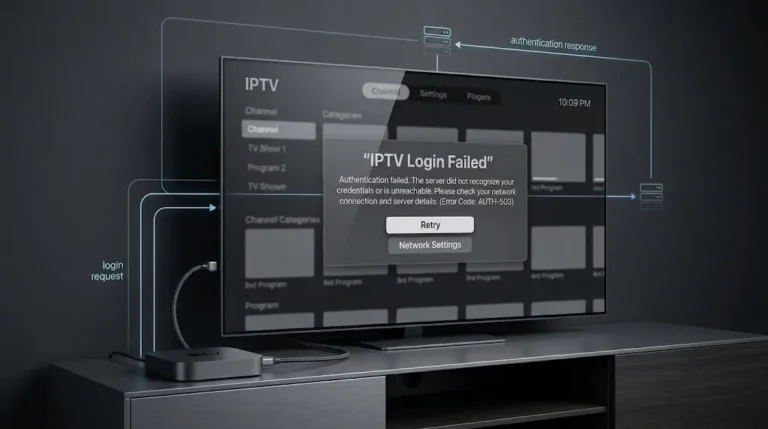
- Authentication failed—login credentials are rejected
- No streams available—the app connects but shows no channels
- One channel or service failing — everything else works normally
- All channels failing — the entire service appears down
- App crashing — the player closes unexpectedly
This guide focuses on the two patterns most commonly reported by Canadian IPTV users: buffering combined with specific channels not loading, since this area is where most support requests come from, and it’s also the pattern most guides explain poorly.
Quick Diagnostic — What’s Actually Happening?
Before trying any fix, identify which pattern matches your situation:
| Symptom | Likely Cause |
|---|---|
| Buffering mainly in the evening or during peak hours | ISP traffic management |
| One specific channel or sports service stops working; everything else fine | Federal Court blocking order |
| All channels fail at once | Provider outage or expired subscription |
| The app won’t log in | Incorrect credentials or expired subscription |
| The app crashes on open | Corrupted cache or outdated app version |

Buffering and Specific Channels Not Loading — The Most Common Issue
In my experience supporting Canadian IPTV users, the most common complaint isn’t total service failure — it’s buffering combined with specific channels or services failing to load while others work fine. This pattern usually points to one of two very different causes: peak-hour ISP traffic management or a Federal Court blocking order targeting a specific domain or IP address. The two look similar to a viewer but require completely different fixes.
Test Your Internet Before Blaming IPTV
Before assuming IPTV itself is at fault, rule out your connection:
- Run a speed test at a site like Speedtest.net
- Check for high ping or packet loss, not just download speed
- Test a non-IPTV video site—if that buffers too, the problem is your connection, not IPTV
If your general internet performs normally but IPTV specifically struggles, the issue is more likely traffic-specific rather than a general connection problem.
Is It Happening at Peak Hours? (Likely ISP Traffic Management)
If buffering appears mainly in the evening — particularly during live sports — and your connection tests normally at other times, the evidence points to ISP-level traffic management rather than a fault with your setup. Canadian ISPs generally may apply traffic shaping to streaming-heavy traffic during high-demand periods; examples include Bell, Rogers, Telus, Cogeco, Videotron, and TekSavvy. Your speed test may show full speeds while IPTV specifically still buffers because the management targets streaming protocols directly rather than your overall bandwidth.
Is It One Specific Channel or Service Only? (Possible Court Blocking)
If one particular channel or sports feed stops working entirely while every other channel continues streaming normally, this is a different pattern from general throttling — and it’s the one most Canadian guides don’t explain well.
Check Whether Other Users Report the Same Issue
Before assuming your setup is broken, check whether the same channel is reported as down by other users of the same service. If everyone using that channel or provider is affected simultaneously, the problem isn’t on your end — it’s either a provider-side issue or the result of the blocking order explained below.
Understanding Canada’s Federal Court IPTV Blocking Order
Since 2019, Canadian courts have issued a series of site-blocking orders requiring major ISPs to block access to specific unauthorized streaming domains and IP addresses. The most significant recent order—Federal Court File T-743-24, issued in July 2024 and amended multiple times since—requires ISPs including Bell, Rogers, Telus, and TekSavvy to block a specific list of domains and IP addresses associated with unauthorized broadcasts of NHL, NBA, Premier League, MLB, and FIFA content.
This is important to understand precisely: the order targets specific unauthorized services by name, not IPTV as a technology and not legal, licensed providers like Bell Fibe, Rogers Ignite, or Telus Optik. If a specific channel or service you use is added to this blocklist, it will stop working entirely and suddenly — not gradually degrade like throttling does. This is what creates the confusing experience of “everything works except this one thing.”
Key takeaway: A specific channel that stops working completely, while everything else streams fine, is more consistent with a Federal Court blocking order than a technical fault on your end.
Is My Internet Provider Managing My IPTV Traffic?
Signs of ISP Traffic Management
- Buffering concentrated in evening hours, particularly during live sports
- Speed tests show normal results, while IPTV specifically underperforms
- The problem affects all channels somewhat, rather than one specifically
- Switching to a VPN often improves performance if this is the cause
Signs of Federal Court Blocking
- One specific channel or service stops working suddenly and completely
- The failure is consistent at all times of day, not just peak hours
- Other users of the same channel report identical, simultaneous failure
- A VPN may restore access if the block is domain- or IP-based

How to Fix IPTV Buffering in Canada
If your diagnosis points to ISP traffic management rather than blocking:
Change your DNS — Set your router’s DNS to Cloudflare (1.1.1.1) or Google (8.8.8.8). This can bypass some forms of DNS-level traffic management, though it will not help against deep packet inspection-based throttling.
Restart your router and check QoS settings—an overloaded or outdated router struggles more with streaming traffic than a properly configured one. If your router supports Quality of Service (QoS), prioritizing streaming traffic can meaningfully reduce buffering.
Switch to a wired Ethernet connection—WiFi interference compounds traffic management issues. A wired connection eliminates one variable entirely.
Consider a VPN—Routing your connection through a VPN can help bypass traffic management that targets streaming protocols specifically, since a VPN encrypts your traffic in a way that’s harder to identify and manage. See our VPN for IPTV Canada guide for details (coming soon).

How to Fix Specific Channels Not Loading
If your diagnosis points to a specific channel or service failing while others work:
Try an alternate app—rule out an app-specific fault first by testing the same credentials in a different player. See our Best IPTV App Canada guide.
Contact your provider—ask them directly whether a blocking order has affected the specific channel or domain. A transparent provider will confirm the issue rather than blame your setup.
Consider a VPN as a workaround—if the block is domain- or IP-based, a VPN routed through a different region can sometimes restore access. This is a technical workaround, not a legal opinion on using it—see our Disclaimer for full details.
Quick Fix Checklist
Before contacting your provider, work through this list:
☐ Restart the app completely (not just minimise it)
☐ Restart your streaming device
☐ Restart your router and modem
☐ Clear the app’s cache
☐ Try an alternate IPTV app with the same credentials
☐ Test on a different network (such as mobile data) to isolate the issue
☐ Contact your provider if the problem persists
Is IPTV legal in Canada? Quick Clarification
It’s worth separating three things that often get conflated when a channel stops working: the legality of IPTV as a technology, the legality of a specific provider, and the legal exposure of an individual viewer. IPTV technology itself is completely legal in Canada — Bell Fibe, Rogers Ignite, and Telus Optik all operate as licensed IPTV services. Federal Court blocking orders target unauthorized redistribution by specific providers, not the underlying technology or, generally, individual viewers. For the complete breakdown, see our dedicated legal guide (coming soon).
Can IPTV stop working overnight? Yes—both ISP traffic management schedules and newly added domains to a federal court blocking order can cause a sudden, overnight change in what works.
Why do only sports channels stop working? Federal court blocking orders in Canada have specifically targeted unauthorized broadcasts of live sports content, including NHL, NBA, Premier League, MLB, and FIFA—which is why sports-specific outages are a recognizable pattern.
Can changing DNS fix IPTV? Sometimes. DNS changes help with DNS-level traffic management but will not restore access to a domain blocked at the IP level by a court order.
Does restarting the router help? Often, particularly for buffering caused by an overloaded or misconfigured router—less so for a court-ordered block, which persists regardless of router state.
Can my IPTV provider fix blocked channels? A transparent provider can usually update their service to a new, unblocked domain or IP address, since blocking orders target specific addresses rather than the provider’s entire infrastructure.
Legal Note: This guide explains diagnostic and technical troubleshooting only. IPTV Concepts does not sell, recommend, or endorse any specific IPTV subscription service. Federal court blocking orders in Canada are a matter of public record; this article summarizes them for informational purposes and does not constitute legal advice. Always ensure your use of any streaming service complies with Canadian copyright law. See our disclaimer for full details.
Bottom Line
Three scenarios to help you decide what to do next:
You’re experiencing buffering, mainly in the evening—this points to ISP traffic management. Start with a DNS change and a wired connection before considering a VPN.
One specific channel has stopped working while others are fine—this scenario is more consistent with a federal court blocking order. Contact your provider to confirm and ask about an updated domain.
Everything has stopped working at once—This scenario is more likely a provider outage or subscription issue rather than either of the above. Please check your subscription status first.
Explore More
IPTV Troubleshooting
- IPTV Buffering Fix Canada (coming soon)
- IPTV Freezing Fix Canada (coming soon)
- IPTV Login Failed Canada (coming soon)
- IPTV EPG Not Working Canada (coming soon)
Related Guides
- What Is IPTV? Complete Canadian Guide ✅
- IPTV Setup Canada: Complete Step-by-Step Guide ✅
- Best IPTV App Canada 2026 ✅
Sources:
- Federal Court of Canada — T-743-24 Judgment — accessed July 2026
- TekSavvy—Multi-Sport Blocking Order Policy—accessed July 2026