
IPTV VOD not working while your live channels keep playing is a more useful symptom than it looks. Most troubleshooting advice treats it as an ordinary streaming fault and sends you through the same list — clear the cache, reinstall the app, change the decoder, restart the router. But live television playing normally on the same account, in the same app, on the same connection has already ruled several of those out.
This guide starts from what has been proven rather than what might be broken. If live channels are failing too, our guide to IPTV not working in Canada is the right starting point instead.
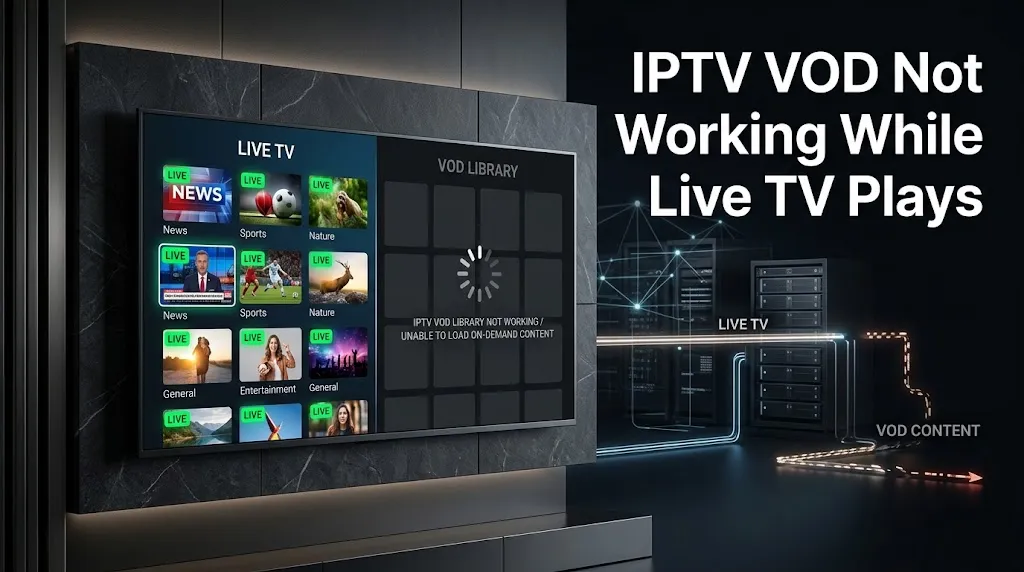
Quick answer: If live IPTV channels play but movies and series do not, the failure is isolated to the on-demand side of the service. Check whether your plan includes on-demand content, whether another device is holding your allowed connection, and whether the library is present in your playlist at all. If those clear, the provider is the next place to look — not your player settings.
What Working Live TV Already Proves
A playing live channel is evidence, and it is worth spending a moment on what it establishes before changing anything.
Four Things You Can Stop Checking
Your credentials are being accepted. The player connected to the service and received content. A rejected login cannot explain a failure that affects only one section of a service you are already inside. If the app is refusing to log in at all, that is a different problem, and IPTV login failed covers reading the error.
Your account is active enough to deliver content. A completely lapsed subscription does not serve live channels. This does not prove your plan includes everything the service offers — that distinction matters later — but it does rule out a dead account.
The service is reachable and responding. Your device is receiving playable video from the provider’s infrastructure right now.
Your connection carries IPTV video. Live streaming is continuous and bandwidth-hungry. If it is running, “your internet is too slow” is a weak explanation for a library that will not open.
Why the Standard Fix List Misses This
The usual sequence — restart, clear cache, reinstall, change player, change decoder, restart the router — is designed for a service that has stopped entirely. Every step targets something the working live channel has already demonstrated is fine.
That is why people run the whole list, find nothing changes, and post about it. The list was written for a different failure.
Live and On-Demand Are Two Different Paths
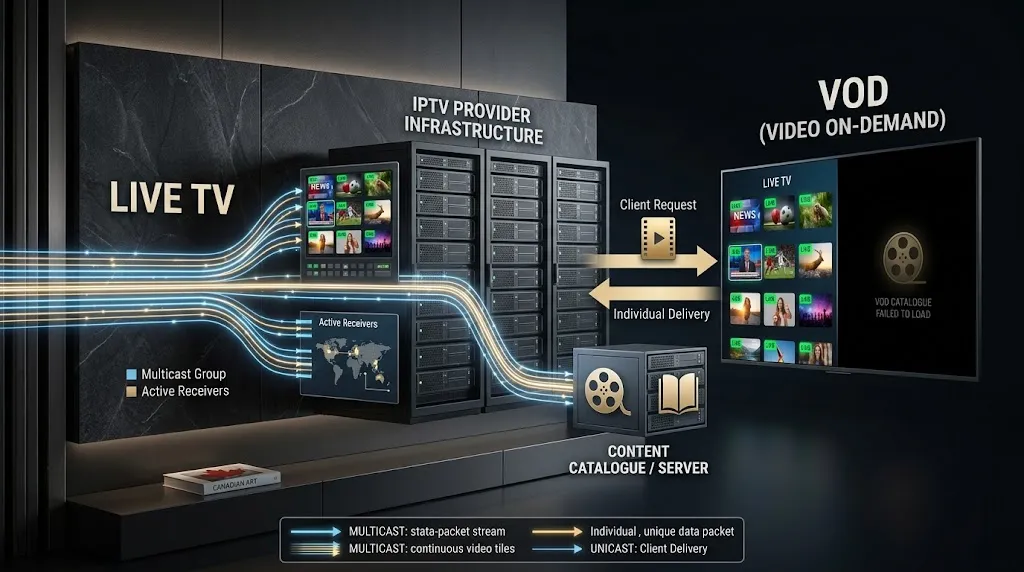
The separation is not a metaphor. It is how the technology is specified.
The ITU’s recommendation for IPTV terminal devices describes a set-top box or television receiving linear TV as multicast and video on demand as unicast across a content delivery network. Two delivery methods, described separately, in the same document that defines what the device has to support. The broader requirements recommendation, Y.1901, similarly treats service offering, middleware, and content as distinct requirement areas rather than one undifferentiated service.
In practice that means a live channel is a stream already flowing that you join, while an on-demand title is a specific file you request from a catalogue the service has to expose, index, and serve. Our guide to the types of IPTV sets out how live, VOD, catch-up, and start-over relate to one another.
Players reflect the split too. The TiviMate listing on Google Play lists the TV guide as its own feature alongside playlist support, which is the same pattern seen when a programme guide fails while channels play — a separate failure, covered in IPTV EPG not working. On-demand behaves the same way. One part of a service can be down while the rest is not.
Why IPTV VOD Not Working Usually Sits With the Provider
Not always — but the provider-side questions deserve to come first, because they are the ones the live-channel evidence has not already answered.
Your Plan May Not Include It
This is the most common answer and the least often given.
Subscriptions are sold in tiers, and on-demand content is frequently a separate part of what a service offers. Seeing live channels tells you nothing about whether movies and series were part of what you bought. An empty library that has never worked is more likely a scope question than a fault.
Ask your provider something specific: does this subscription include on-demand content, and should the library be visible on this account? That is answerable. “VOD doesn’t work” is not.
If the answer is that it is not included, no setting in any player will add it. We made the same point about judging a completed setup in our Xtream Codes setup guide — a successful setup loads what your subscription is supposed to include, not everything the service could theoretically offer.
Another Device May Be Holding the Connection
Many subscriptions cap simultaneous connections. Where the cap is reached, the next request is refused — and depending on how the service handles sessions, that refusal can surface as an on-demand title that will not start rather than as a clear error.
The signature is inconsistency. It fails while another television in the house is on, and works when that set is off. Close the app fully on other devices — not just minimise it — and test again.
The Library May Be Down While Channels Are Not
Provider infrastructure is not one thing. A catalogue can be unreachable, mid-migration, or broken while the live channel service runs normally.
If the library was working last week and is failing now, with nothing changed at your end, this is the likeliest explanation and there is nothing to fix locally.
| What you see | What it suggests | Whose side |
|---|---|---|
| Live plays, library empty and always has been | On-demand may not be in your plan | Subscription scope |
| Live plays, titles listed but none will start | Catalogue or delivery problem | Provider |
| Live plays, one title fails, others play | That title is unavailable | Provider |
| Works after closing another device | Connection limit reached | Account |
| Fails in one player, works in another | Player or device issue | Your end |
The Two Checks Worth Making at Your End
Two, not twenty.
Is the Library Present in the Playlist?
Some players expose on-demand as an option that can be switched off, and some playlists carry live channels without exposing a library at all. Check the playlist settings in your player before assuming the app is broken — particularly if you recently re-added or edited the playlist.
An empty section is not the same as a broken section. It may be accurately showing you that nothing is there.
Does One Title Play in a Second Player?
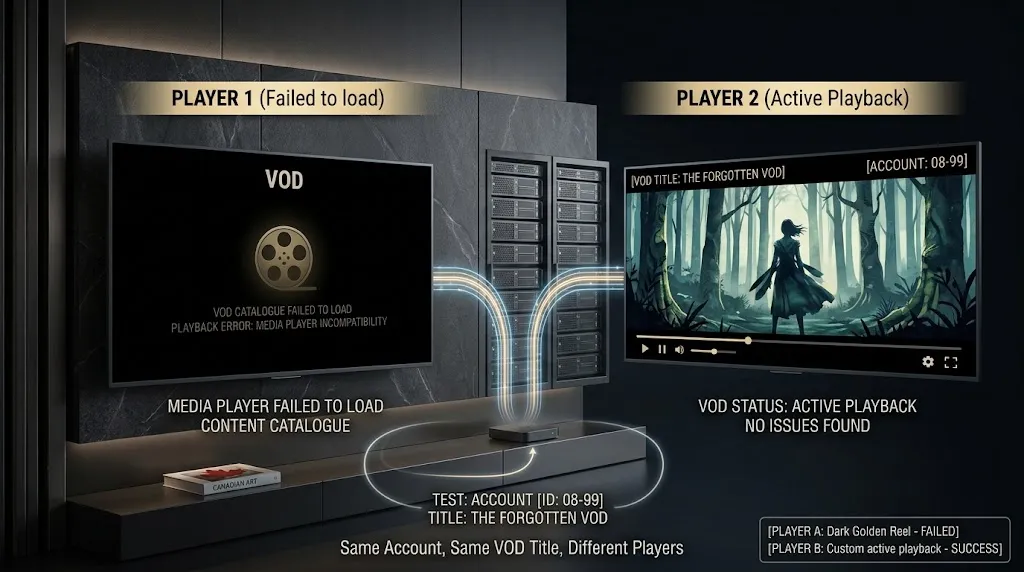
This is a comparison, not a recommendation to switch apps. Enter the same credentials in another player and try the same title. Our comparison of IPTV apps for Canadian viewers covers players that accept the same credential formats.
Read the result carefully. If the title plays in the second player, the first app is the suspect. If it fails in both while live channels continue in both, the problem follows the account, and no amount of switching players will move it.
One comparison is enough. Installing five players tests nothing the second one did not.
What the Common Advice Gets Wrong
Two suggestions appear repeatedly for this exact problem and deserve a caution rather than a repetition.
Changing the player’s User-Agent. If a service is deciding what your account may access, presenting a different client identity does not answer why. It can change a response without explaining it, and it turns a clear support question into a murky configuration one. Start with entitlement, not disguise.
Using a VPN. A VPN changes your route. It does not add on-demand rights to a subscription that does not include them, and it cannot repopulate a catalogue that is down. Where a VPN genuinely helps is a different failure mode entirely — set out in do I need a VPN for IPTV?
Buying a more capable device belongs in the same category. A device already decoding live video has demonstrated it can decode video.
This article covers player and service diagnostics only. IPTV Concepts does not sell or endorse any subscription service. See our disclaimer for the limits of what any of this represents.
Bottom Line
IPTV VOD not working while live television plays is not a smaller version of a service being down. It is a narrower problem, and the working channels are what narrow it: credentials accepted, account active, service reachable, connection sufficient. What remains is specific to the on-demand path — whether your plan includes it, whether another device is holding your connection, and whether the library is there at all.
When you do contact your provider, tell them what live channels do, whether the library appears, whether every title fails or only some, and whether the same title failed in a second player. That is a report they can act on.
One boundary worth keeping in mind. This guide covers on-demand content that will not start. Content that starts and then goes black, plays without sound, or stalls repeatedly are separate failures with separate causes. For anything broader, return to IPTV not working in Canada. If something here needs correcting, our contact page is open.
Sources
- ITU-T Recommendation H.721 — IPTV terminal devices: Basic model. Specifies terminal devices delivering linear TV as multicast and video on demand as unicast over a content delivery network. Accessed September 2026.
- ITU-T Recommendation Y.1901 — Requirements for the support of IPTV services. High-level IPTV service requirements covering service offering, middleware, and content as distinct areas. Accessed September 2026.
- TiviMate IPTV Player — Google Play. Playlist format support and the TV guide listed as a separate feature. Accessed September 2026.