
Search for a Firestick IPTV setup guide, and you will find dozens of tutorials that begin with the same instruction: enable Developer Options, turn on unknown sources, and install Downloader. For many Canadian viewers in 2026, that first step no longer exists on their device — and no amount of following the guide will make it appear.
The change is not a blanket shutdown of IPTV on Fire TV. It is a compatibility split: “Firestick” now covers hardware running two different operating systems with two very different capabilities, and the box does not make that obvious. Before you follow any installation guide, including how to set up IPTV in Canada on this site, it is worth knowing which of the two you own.
Reviewed for accuracy: August 2026.
Does IPTV Still Work on Firestick in Canada?
Yes — on most Fire TV devices. Fire TV models running Fire OS still allow sideloading, so IPTV player apps can be installed the same way they have always been. Amazon’s newer Vega OS devices are the exception: they are not Android-based and do not support installing APK files. Separately, Amazon began blocking the installation of certain sideloaded apps in early 2026, which can affect Fire OS devices too. Which situation applies to you depends entirely on which model you own.
That is the honest answer, and it is more useful than either version circulating online. One camp insists Amazon has shut IPTV down entirely. The other tells you nothing has changed. Both are describing part of a picture that split in two.
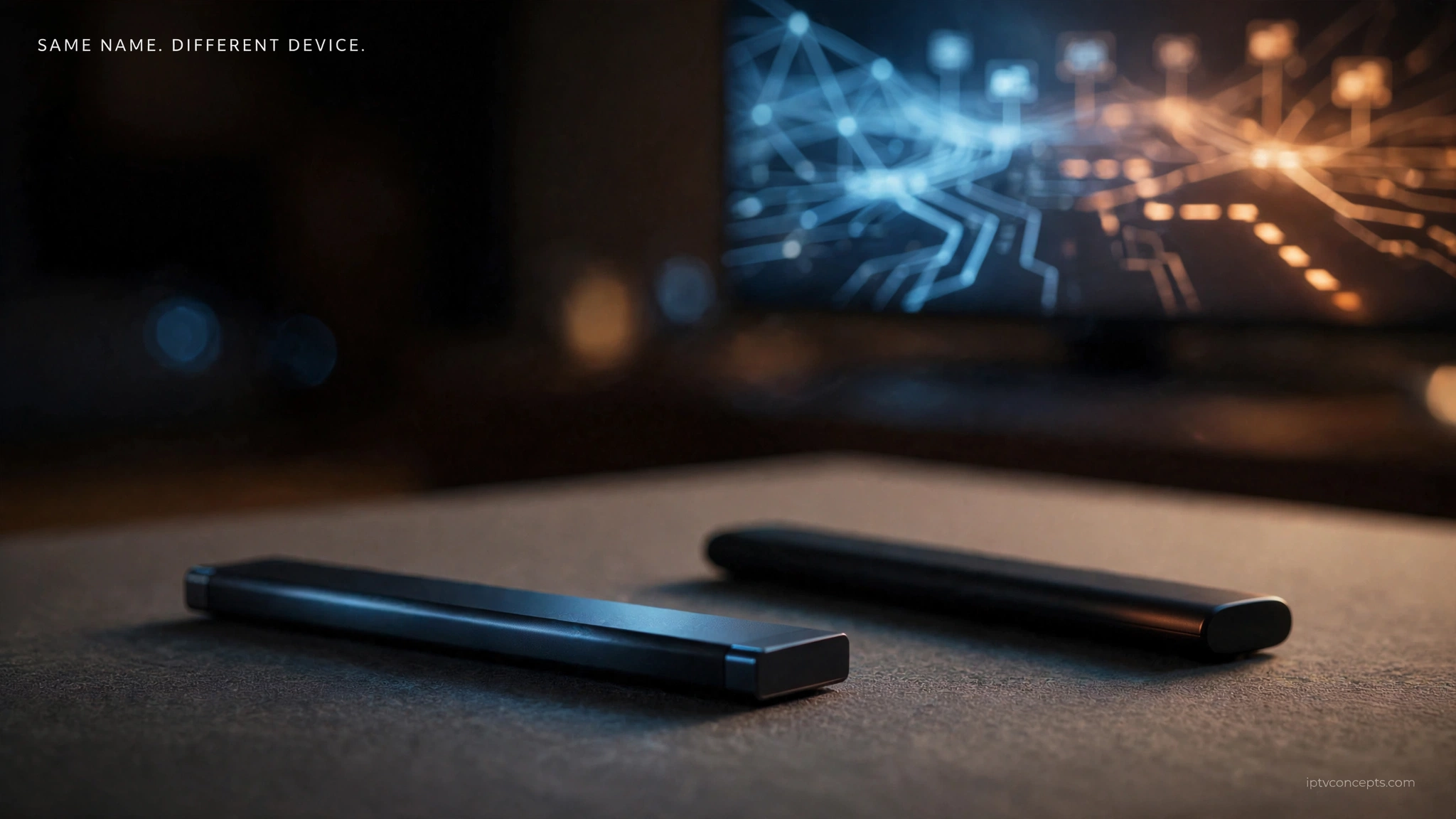
Fire TV compatibility depends on the model and operating system, not just the name “Fire Stick.” Two devices sitting side by side on a shelf, both called Fire TV Stick HD, can behave completely differently. That is the problem this guide solves before you touch a single setting.
Fire OS vs Vega OS — The Change Behind the Confusion
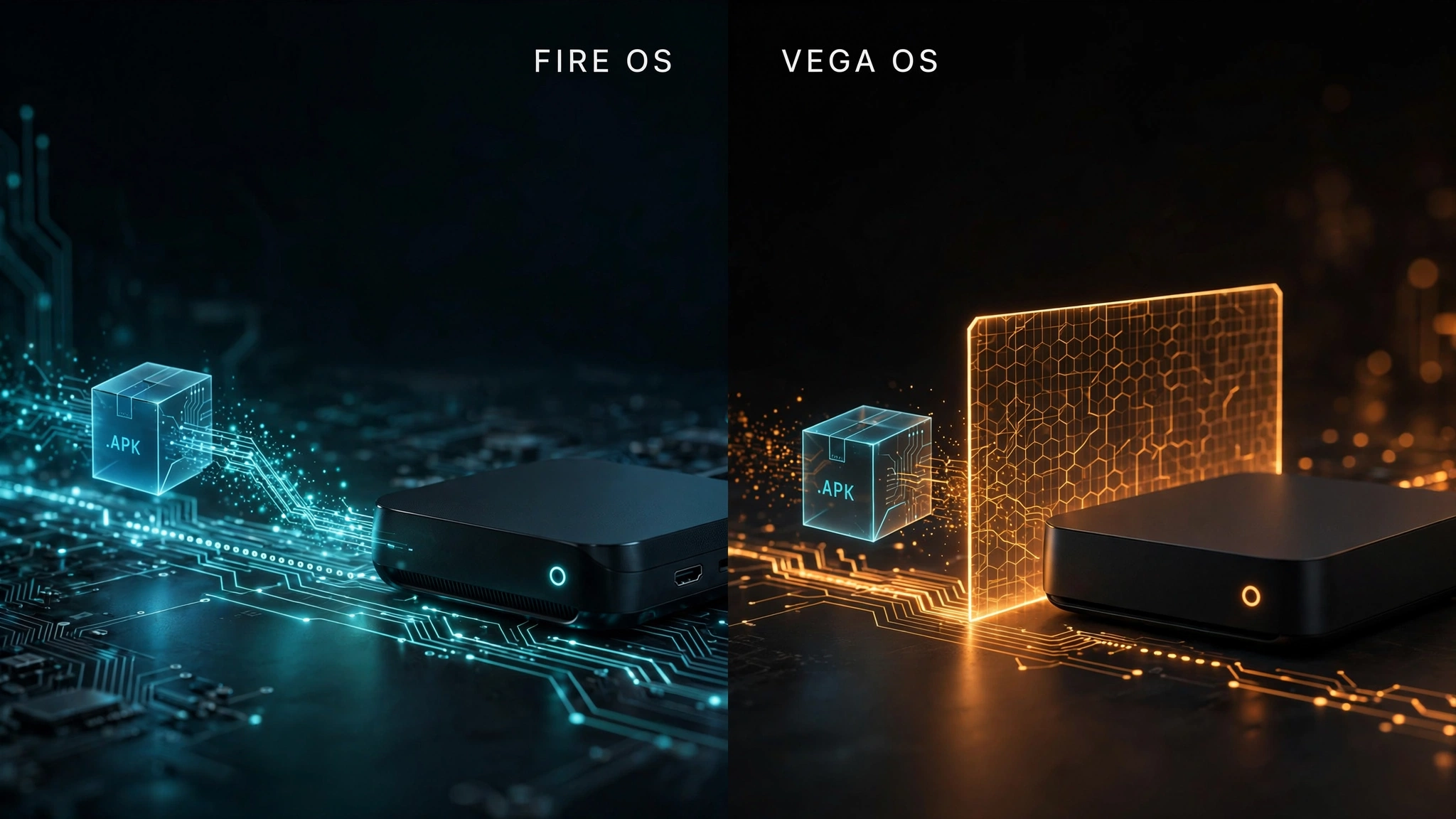
For most of Fire TV’s life, every device ran Fire OS — Amazon’s own layer built on Android. Because the foundation was Android, Fire TV devices could install Android APK files: the same package format used across the Android ecosystem. That is what sideloading means on these devices, and it is why apps like TiviMate and IPTV Smarters Pro could be installed without appearing in Amazon’s store. The term is explained alongside the rest in our IPTV glossary.
Then Amazon changed the foundation. Vega OS is Amazon’s in-house operating system built on Linux rather than Android. Apps install normally from the Amazon Appstore, and mainstream services work as expected. What Vega OS does not do is run Android APK files, so the Downloader and ADB route used by every traditional Fire Stick IPTV guide does not apply — the package format those tools install is not one the system recognises.
Precision matters here, because the shorthand circulating online overstates it. Vega does include a developer mode, and Amazon’s Vega documentation describes using it to sideload apps for testing. But that route installs Vega applications, not Android APKs, and it requires an Amazon developer account, the device registered by serial number, Amazon’s command-line tools on a computer, and a USB connection. It is a developer testing workflow rather than anything a viewer would use to install an IPTV player.
So the accurate statement is narrower than “no sideloading”: Vega OS does not support installing Android APK apps through the methods traditional Firestick IPTV guides rely on. A Vega device is not locked out of apps — it is limited to what Amazon distributes for that platform, and IPTV players outside that catalogue have no consumer route in.
AFTVnews reported in April 2026 that Amazon had confirmed all future Fire TV Sticks will run Vega, beginning with the Fire TV Stick 4K Select. Existing Fire OS devices remain on the Android-based platform, so the traditional APK installation route remains available on supported models.
Which Fire TV Devices Still Support Sideloading
The split falls along model lines, not release dates alone.
| Device | Operating system | Android APK sideloading |
|---|---|---|
| Fire TV Stick 4K Max | Fire OS | Supported |
| Fire TV Stick 4K Plus | Fire OS | Supported |
| Fire TV Stick 4K | Fire OS | Supported |
| Fire TV Cube | Fire OS | Supported |
| Fire TV Stick HD (2024) | Fire OS | Supported |
| Fire TV Stick 4K Select (2025) | Vega OS | Not supported |
| Fire TV Stick HD (2026) | Vega OS | Not supported |
BGR identifies the 2026 Fire TV Stick HD and the Fire TV Stick 4K Select as the models to avoid if sideloading matters to you. For the models covered in the table above, the remaining Fire TV devices listed run Fire OS and support APK sideloading.
For Canadian buyers, the practical reading is straightforward. If you are choosing hardware rather than working with a device you already own, the 4K Max and 4K Plus are the Fire TV Stick models to look for where available, since both are Android-based. Confirm the model on the box before paying — the name alone will not tell you. Our best IPTV device in Canada guide compares a wider field.
The Two Devices Called Fire TV Stick HD
This is where most of the confusion in Canada originates, and it deserves its own section.
Two different Fire TV Stick HD models are now relevant to buyers: a 2024 version running Fire OS, which supports sideloading, and a version released 29 April 2026 running Vega OS, which does not. Same name, different capabilities — and the packaging does not announce the difference.
AFTVnews documents the physical tells:
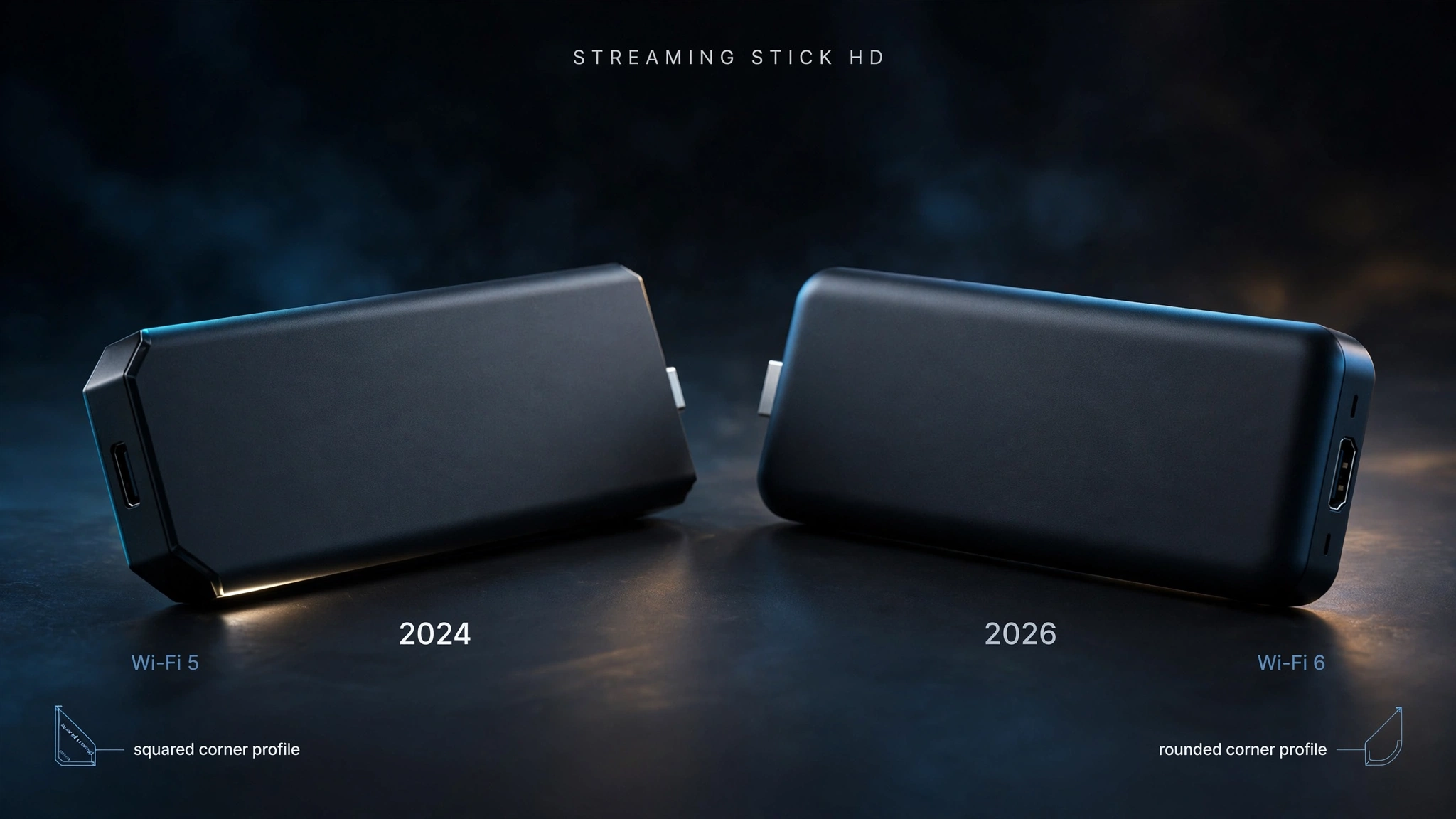
| Fire OS version (2024) | Vega OS version (2026) | |
|---|---|---|
| Wi-Fi | Wi-Fi 5, printed on the box | Wi-Fi 6 |
| Stick shape | Squared corners | Rounded corners |
| Text on the stick | No “Fire TV” text | “Fire TV” printed on it |
| Android APK sideloading | Supported | Not supported |
If the box identifies the device as Wi-Fi 5, that points to the 2024 Fire OS version; Wi-Fi 6 identifies the newer Vega OS version. Where possible, confirm the model number as well rather than relying on a single characteristic — packaging details can change. If you have already bought one and discovered the limitation, a return window may still be open, and exchanging for a 4K Max or 4K Plus restores the capability.
How to Check Which Fire TV OS You Have
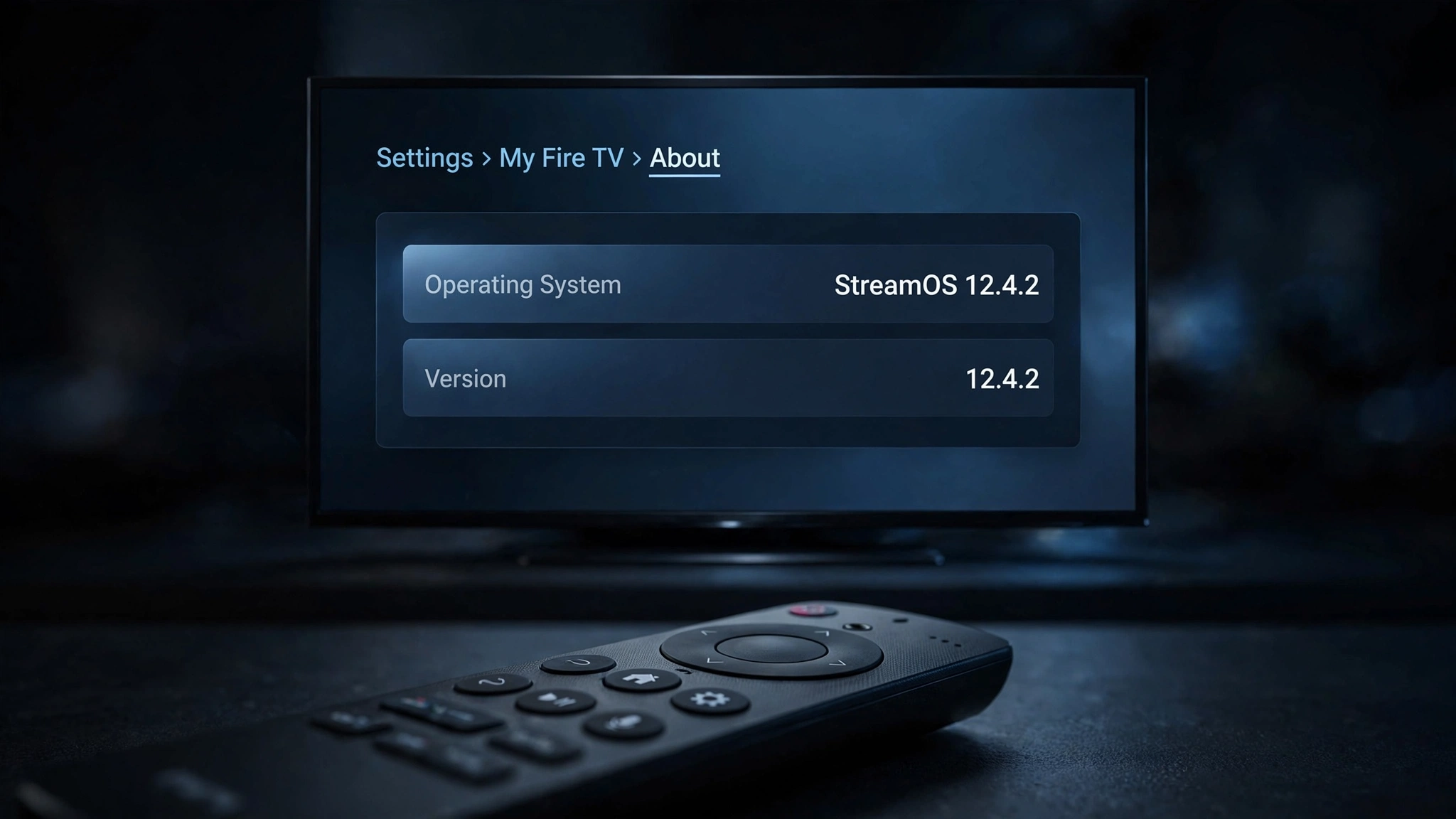
Thirty seconds settles it, and it is worth doing before you follow any setup guide.
- From the Fire TV home screen, open Settings.
- Select My Fire TV, then About.
- Read the device name and the software version listed there.
AFTVnews reports that Vega OS devices display the software label as ‘OS’ with a version number beginning with 1, while Fire OS devices display ‘Fire OS’ with a version beginning with 3, 5, 6, 7, 8, or 14.
Read the OS label first, then confirm with the model name shown on the same screen. If it reads Fire TV Stick 4K Max, 4K Plus, 4K, or Fire TV Cube, you are on Fire OS. If it reads Fire TV Stick 4K Select, you are on Vega. For a device reporting Fire TV Stick HD, the OS label is what settles it, since both a Fire OS and a Vega version carry that name.
The purchase date is the weakest of the three signals — stock sits on shelves, and a recently bought device is not necessarily a recent model. Use it only as a last resort.
Show Image Two operating systems, one product name — and only one of them accepts APK files.
Firestick IPTV Setup When Your Device Supports Sideloading
Good news: nothing about your device has changed. The route is the one it has always been — enable Developer Options, allow installation from unknown sources, install Downloader from the Amazon Appstore, and use it to fetch your player app. Our complete IPTV setup guide for Canada walks through each step with the settings paths, so there is no need to repeat them here.
One thing has changed, though, and it is separate from anything to do with Vega OS.
In early 2026, Amazon began blocking the installation of specific sideloaded apps on Fire OS devices. 9to5Google reported in January 2026 that affected users see a full-screen message reading “app installation blocked”, with the stated reason that the app provides access to unlicensed content. This followed an earlier measure that blocked certain apps at launch rather than at install.
Keep the two restrictions apart in your head, because conflating them causes most of the panic online:
- Vega OS removes the APK sideloading capability from the device entirely. It applies to the hardware.
- The 2026 app blocking targets specific applications on devices that still support sideloading. It applies to individual apps, and reports indicate the rollout has been gradual rather than universal.
If you are on Fire OS and a particular app will not install, the capability is intact — that app is the obstacle. Player apps available directly in the Amazon Appstore avoid the question altogether. Our comparison of the best IPTV app for Canadian viewers shows which players are worth the trouble on which platform.
If Your Fire TV Runs Vega OS
You have three routes, and none of them requires throwing anything away.
Check the App Store first. If a compatible IPTV player is available through the Amazon Appstore for your Vega device, you can install it normally without sideloading. The catalogue on Vega is smaller than on Fire OS, so search for a player supporting your credential type — M3U or Xtream Codes — before assuming there is nothing available.
Keep the device, add another. Your Vega stick can still be used for the streaming services and other apps supported by its platform. Adding an inexpensive Android TV box on a second HDMI input gives you the sideloading capability without replacing anything. Full Android devices have no equivalent restriction.
Switch to a Fire OS Firestick. If you prefer staying in the Fire TV interface, the 4K Max and 4K Plus are Android-based and still sold. This is the least disruptive option if you are already comfortable with Fire TV.
One point worth keeping straight throughout: your device’s operating system determines which compatible player apps you can install. It does not, by itself, determine whether a particular IPTV service is authorised or available.
Does the Device Decide Legality?
No. A Fire TV Stick is a general-purpose streaming device, and the same hardware runs licensed Canadian services and everything else. What determines the legal position is the content source: who holds distribution rights to the programming and whether the service supplying it is authorised to distribute it in Canada.
That is worth stating plainly because a good deal of Firestick coverage implies the device itself carries some status. It does not. Our guide to what Canadian law says about IPTV covers the actual framework, including how copyright complaints are handled here. See also our disclaimer.
Your Fire TV, Your Options
Everything above is condensed to a single decision path.
| Your device | Operating system | Android APK sideloading | What to do next |
|---|---|---|---|
| 4K Max, 4K Plus, 4K, Cube | Fire OS | Available | Follow the setup guide as written |
| Fire TV Stick HD, Wi-Fi 5 | Fire OS | Available | Follow the setup guide as written |
| Fire TV Stick HD, Wi-Fi 6 | Vega OS | Not available | App store player, Android TV box, or Fire OS stick |
| Fire TV Stick 4K Select | Vega OS | Not available | App store player, Android TV box, or Fire OS stick |
| Buying new for IPTV | — | — | Look for a Fire OS model such as the 4K Max or 4K Plus, where available |
If installation succeeds and playback still misbehaves, the cause is usually further along the chain than your device — our complete IPTV fix guide works through it in order. If you are still getting oriented, what IPTV is covers the fundamentals.
The short version worth remembering: check the model before you follow the guide. Most Fire TV devices in Canadian homes still handle IPTV exactly as they always have, and the ones that do not are identifiable in thirty seconds. Ready to install? The IPTV setup guide for Canada picks up from here. Anything we have not answered is welcome through our contact page.
Sources
- Amazon — Enable Developer Mode, Vega documentation — accessed August 2026
- AFTVnews — Amazon confirms all future Fire TV Sticks will run Vega OS — accessed August 2026
- AFTVnews — Fire TVs that do not support sideloading or Downloader due to Vega OS—model identification and OS version numbering. Accessed August 2026
- 9to5Google — Amazon Fire TV is now blocking the installation of some sideloaded apps — January 2026. Accessed August 2026
- BGR — Fire TV Stick models to avoid if you want to sideload apps — accessed August 2026